Beehaw
  • Communities
  • Create Post
  • search
    Search
  • Login
  • Sign Up
dvdnet62 ( dvdnet62@feddit.nl )  to Technology@lemmy.ml · 2 years ago

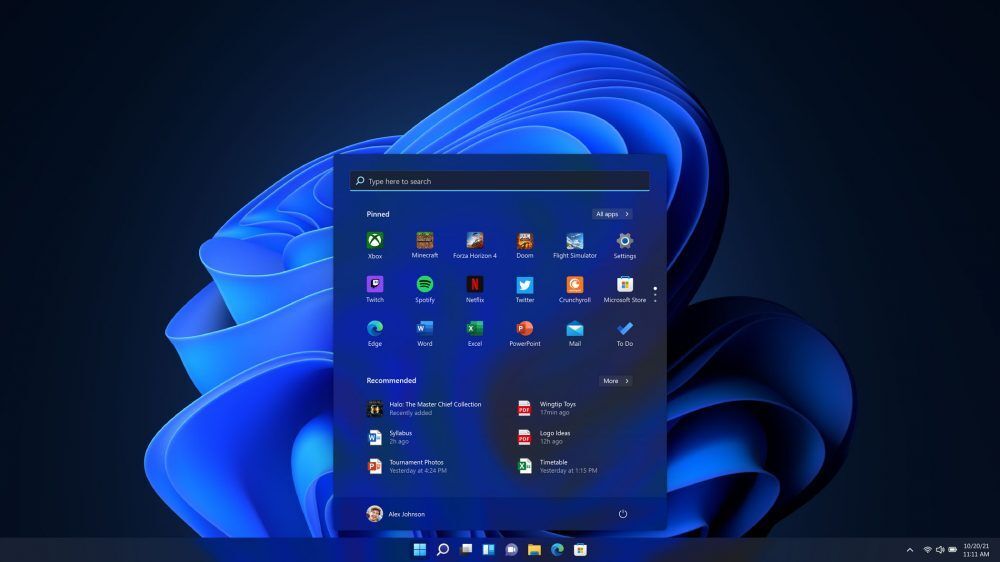
Windows 11 24H2 will enable BitLocker encryption for everyone — happens on both clean installs and reinstalls

www.tomshardware.com

external-link
message-square
46
link
fedilink
98
external-link

Windows 11 24H2 will enable BitLocker encryption for everyone — happens on both clean installs and reinstalls

www.tomshardware.com

dvdnet62 ( dvdnet62@feddit.nl )  to Technology@lemmy.ml · 2 years ago
message-square
46
link
fedilink
You can still manually disable encryption if desired.
  • Papamousse ( Frederic@beehaw.org ) 
    link
    fedilink
    arrow-up
    54
    ·
    2 years ago

    uhoh, and wait for the time when the user will update his BIOS, that resets TPM2, and at reboot bitlocker asks for the 48 digits key to decrypt hard drive, that the user never saved…

    • Blaiz0r ( Blaiz0r@lemmy.ml ) 
      link
      fedilink
      arrow-up
      13
      ·
      2 years ago

      What can you do when this happens… Asking for a friend…

      • Papamousse ( Frederic@beehaw.org ) 
        link
        fedilink
        arrow-up
        14
        ·
        2 years ago

        it should be in your MS online account as someone wrote, but in case of, I always save it on a USB key, hidden somewhere. You can also print it, or take a picture of it with your phone. Because there is no way to get it back.

        • ☂️- ( umbrella@lemmy.ml ) 
          link
          fedilink
          arrow-up
          2
          ·
          edit-2
          1 year ago

          deleted by creator

          • lud ( lud@lemm.ee ) 
            link
            fedilink
            arrow-up
            4
            ·
            2 years ago

            Sure, but for most people encryption is mostly supposed to protect against the thief that took your laptop on the metro and not the NSA or whatever.

            • ☂️- ( umbrella@lemmy.ml ) 
              link
              fedilink
              arrow-up
              1
              ·
              edit-2
              1 year ago

              deleted by creator

              • lud ( lud@lemm.ee ) 
                link
                fedilink
                arrow-up
                2
                ·
                2 years ago

                Yes that is possible, but should I repeat what I wrote earlier or can you just read it again?

                • el_abuelo ( el_abuelo@lemmy.ml ) 
                  link
                  fedilink
                  arrow-up
                  1
                  ·
                  2 years ago

                  I’d like you to repeat it please. But slower this time.

      • notfromhere ( notfromhere@lemmy.ml ) 
        link
        fedilink
        arrow-up
        12
        ·
        2 years ago

        Because they force you to use online accounts now, you can get it from the registered account via the Microsoft account page.

        In your Microsoft account: Open a web browser on another device. Go to  to find your recovery key.

    • Moonrise2473 ( Moonrise2473@feddit.it ) 
      link
      fedilink
      arrow-up
      5
      ·
      2 years ago

      Wait? My Lenovo laptop did exactly this. It first encrypted the SSD without telling me, then it updated the bios via windows update (or via Lenovo assistant, but still it was unattended)

      Luckily I was using a Microsoft account (usually I don’t because fuck that) so the keys were automatically backupped

      • Romkslrqusz ( Romkslrqusz@lemm.ee ) 
        link
        fedilink
        arrow-up
        11
        ·
        2 years ago

        The automatic encryption and subsequent backup both took place because you were using a Microsoft Account

    • qwerty ( qwerty@discuss.tchncs.de ) 
      link
      fedilink
      arrow-up
      3
      ·
      2 years ago

      I updated my BIOS few days ago and on reboot got a warning about bitlocker and resetting fTPM, but I’m on linux. I dumped luks headers, and master priv keys before resetting just in case but everything worked as usual. Do you know if I just got lucky or if luks dosn’t use TPM? Should I hold on to the luks headers and master priv key backup?


      • Papamousse ( Frederic@beehaw.org ) 
        link
        fedilink
        arrow-up
        2
        ·
        2 years ago

        LUKS don’t use TPM

      • ReversalHatchery ( ReversalHatchery@beehaw.org ) 
        link
        fedilink
        English
        arrow-up
        1
        ·
        2 years ago

        There’s an extension that can unlock LUKS drives using the TPM, but by default it does not do that, and probably that extension isn’t installed either

Technology@lemmy.ml

technology@lemmy.ml

Subscribe from Remote Instance

Create a post
You are not logged in. However you can subscribe from another Fediverse account, for example Lemmy or Mastodon. To do this, paste the following into the search field of your instance: !technology@lemmy.ml

This is the official technology community of Lemmy.ml for all news related to creation and use of technology, and to facilitate civil, meaningful discussion around it.


Ask in DM before posting product reviews or ads. All such posts otherwise are subject to removal.


Rules:

1: All Lemmy rules apply

2: Do not post low effort posts

3: NEVER post naziped*gore stuff

4: Always post article URLs or their archived version URLs as sources, NOT screenshots. Help the blind users.

5: personal rants of Big Tech CEOs like Elon Musk are unwelcome (does not include posts about their companies affecting wide range of people)

6: no advertisement posts unless verified as legitimate and non-exploitative/non-consumerist

7: crypto related posts, unless essential, are disallowed

Visibility: Public
globe

This community can be federated to other instances and be posted/commented in by their users.

  • 2 users / day
  • 97 users / week
  • 832 users / month
  • 3.12K users / 6 months
  • 1.1K local subscribers
  • 43.4K subscribers
  • 4.7K Posts
  • 26.7K Comments
  • Modlog
  • mods:
  • MinutePhrase ( MinutePhrase@lemmy.ml ) 
  • BE: 0.19.15
  • Modlog
  • Legal
  • Instances
  • Docs
  • Code