

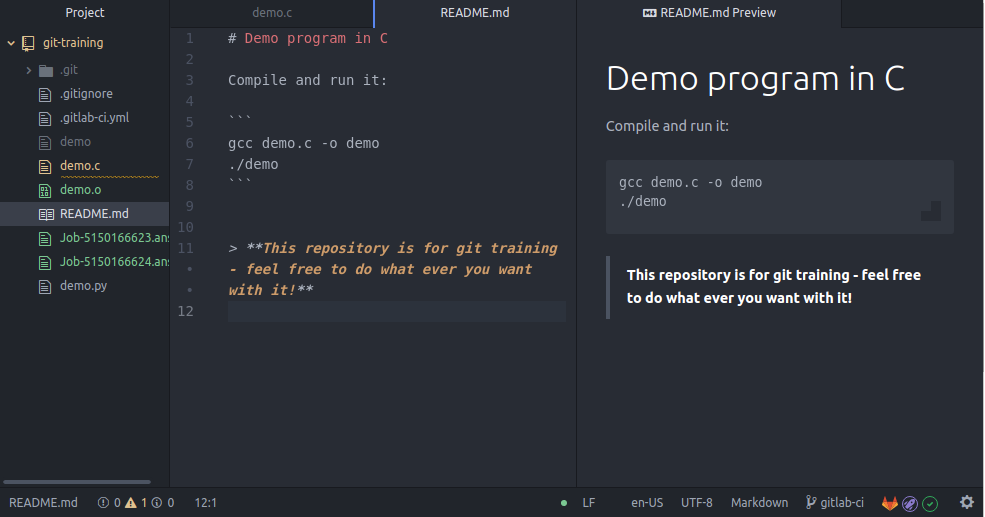
Pulsar (former Atom) is still the best code editor in my opinion. It is easiest and fastest to use, has all the nice productivity boosting plugins and is overall great for all the same reasons the Atom was great. 🚀
See also !pulsaredit@lemmy.ml
Had a distinguished collegue (from the Bell Lab days) say to me recently:
“IDEs take up a lot of RAM on my machine. Vim takes up a lot of squishy RAM in my head. I need squishy RAM to hold info relevant to problem solving, not options available in my tool chain.”
While I agree with the sentiment, the key bindings have been burned into my less squishy ROM at this point, and I’ve got all banks of squishy RAM available 😄
hahaha good point.
That colleague, keep in mind is a bit older, also has Vim navigation burned into his head. I think where he was coming from, all these new technologies and syntax for them, he much rather prefers right clicking in the IDE and it’ll show him options instead of doing it all from command line. For example docker container management, Go’s devle debugger syntax, GDB. He has a hybrid workflow tho.
After having spent countless hours on my Vim config only to restart everything using Lua with nvim, I can relate to time sink that is vim.
Vim doesn’t take any thought for me, it’s all muscle memory.
Counter-point: Atom is terrible. Its electron competitors are terrible. Big IDEs are terrible. Simple text editors are terrible.
If you are under 50 and chose to learn vim or emacs, there is a 100% chance that you were also forced to learn latin at school and honestly it’s not your fault that you turned out this way.
These are all the options. Sometimes all the options are terrible.
There are actually a lot of people learning latin
Yep, I learned a good bit of it in school. That shit’s helpful.
Romanes eunt domus!
Me too, but I never found it helpful. What’s your experience in using it in life?
Vim or emacs? I mean I know they were created a long time ago, but they are both pretty good pieces of software, both highly configurable. I don’t understand people aversion to them, rather than having the false belief that they are too complicated? When in reality they just aren’t intuitive in terms of modern stuff. But they aren’t difficult, just different.
The team also created the Electron Framework
😡
I know several world class programmers, and interestingly, the commonality among them is that they all seem to use Vim as their code editor. Many people I know who think of themselves as world class programmers use Emacs.
What a burn!
More like a personal bias in the form of a distasteful snark that the author thinks is funny. Their demonstrated knowledge about Emacs in the article indicates the worth of such remarks.
Yeah, I commented elsewhere on the misinformation regarding emacs in the article.
As a former Vim user myself, I have to say I really dislike screensharing with coworkers who use Vim. They are walking me through code and shit pops up left and right and I don’t know where it comes from or what it is I’m looking at. Code reviews are painful when they walk me through a large-ish PR.
These days, I tend to bring my vim navigation/key bindings to my IDE instead of IDE funcs to Vim. Hard to beat JetBrains IDEs, especially when you pay them to maintain the IDE functionality.
Pair coding with vim is a skill in itself (for the vim user). You can make things a bit easier to follow by making liberal use of visual mode for example. I have a CoworkerMode command that turns on smooth scrolling via vim-smoothie and cursorline, and I’ve also added some stuff to the neovim right-click menu so that I can explicitly right click go to definition for example. It can be worth switching editor sometimes, but it’s not always worth it if you’re in the middle of something.
The key to being productive as a programmer is to have a great code editor
True true.
The best code editor came from GitHub
I’m out.
You spelled vim wrong.
code is just text, so code editors are text editors.
What sets IDEs apart are their features, like debugger integrations, refactoring assists, etc.
I love command line ± Vim and used solely it for a large portion of my career but that was back when you had a few big enterprise languages (C/C++, Java).
With micro services being language agnostic, I find I use a larger variety of languages. And configuring and remembering an environment for rust, go, c, python etc. is just too much mental overhead. Hard to beat JetBrain’s IDEs; now-a-days I bring my Vim navigation key bindings to my IDE instead of my IDE features to Vim. And I pay a company to work out the IDE features.
for the record, I am in the boat of, use whatever brings you the greatest joy/productivity.
text editors
Yes, I use MS Word then print as image to pdf. Outlook works too, but it’s less secure, and Power Point is too fancy for my taste (I don’t like animated transitions when my code wraps between columns). It’s amazing how far we’ve come from punched cards, and how fast, I can barely keep up.
you sound like a Microsoft engineer ;)
I was trying to be a bit funny but I forgot that I’m not funny, (I’m) just a joke.
for the dummies (like me) that can’t read the room, especially online, a sarcasm tag /s goes a long way 🙃
… oh, you are right, now I fell dumb, I should use that more often, it would have worked perfectly in so many situations.
I am trying something similar irl, basically announcing my intentions (not just sarcasm) & trying not to feel weird in the sort of way like when somebody tells a joke & then starts to explain it immediately afterwards.
Eg: I’m genuinely happy you pointed that do directly, I’m not being sarcastic.
hey, that’s what the internet is for; information sharing :)
Ah, yes, when humans build & use something for good. I forget sometimes about that. That reminds me, I should donate some moneys to Wikipedia again.

just keeps on keeping on with neovim, vimium, a tiling window manager, and an ortholinear keyboard.
- opens file in nvim, can edit code immediately, code is processed in the background and info appears after ~30 seconds
- opens Idea project, everything is unresponsive for a minute
Yep, I will stick to nvim.
Clearly you never tried emacs
Why should I install a second operating system?
Lapce is the most promising tool I’ve seen in the editor space for some time now.
I think i read that it uses an old version of electron or something? Do i recall correctly?