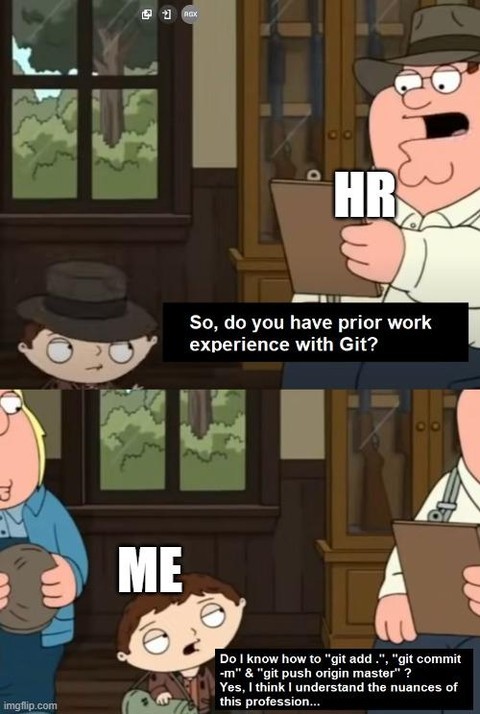
Interviewer: It’s
git push origin mainnow. Get out of here!Just set your default behavior.
I have only ever used simply “git push”. I feel like this is a “how to say that you barely know how to use git without saying that you barely know how to use git” moment:-D.
Normal distribution curve meme makes sense here - experts and noobs can both
git pushsafely (but for different reasons)I can follow along re-typing the same commands told to me by a more senior dev just like any average monkey!
This reminds me of something I made a long time ago:

Since I am calling myself dumb, I estimate my progress to be somewhere perhaps at the 20th percentile marker? :-D One of these days I’ll RTFM and rocket all the way up to be dumb enough to properly qualify for “below average”! :-P
Hold Up
You can default git to using your current branch and a specific upstream so you don’t have to put anything after git push
Thanks didn’t know that
Has git never told you that you should use
git push -u originwhen you push a new branch for the first time?
The first time you manually push like that, you can add the
-uflag (git push -u origin master) to push and set the branch’s default upstream. Afterwards, a plaingit pushwhile that branch is checked out will push the branch to that default upstream. This is per-branch, so you can have amainbranch that pulls from one repository and apatchbranch that pulls and pushes to a different repository.My strategy is to just type
git pushand get some kind of error message about upstream not being set or something. That’s a signal for me to take a second to think about what I’m actually doing and type the correct command.That’s a signal for me to
… google the error and randomly try stack overflow answers without really understanding them.
( I have changed)
I once had HR ask if I was familiar with G-I-T ( she spelled it out), for a moment, my only thought was “wtf is G-I-T”.
I might be the dumb one in this one, but HR asked me if I know “design patterns”.
“I mean, yes, I know some design patterns. Any specific?”
“No, just if you are familiar with design patterns.”
“I mean, there are builder, strategy, sigleton, factory etc. Is the question really not more specific?”
“My paper just asks if the dev is familiar with design patterns.”
“Ok. Yes.”
One of my first interviews in Canada I was asked what a “zed-index” is and was like what? A what now?
Whenever I hear someone say “zed”, it always throws me for a loop. I follow a Canadian streamer, and they use it in place of
“zero”the letter “zee”.I’m not Canadian, but as a Brit I also say Zed instead of Zee but I’ve never heard someone say Zed instead of Zero. WTF.
Oh, my bad. It was zed instead of the letter “zee”.
It’s 3am, and I’m exhausted, about to head to bed.
Ahh, that must be where the DEVs use LUA and JAVA and whatever else always irks me. grumps irkily, for emphasis and illustration
If you happen to forget the -m though, you may also need to have mastered exiting vim
The day I configured
gitto use Geany for commit messages with a separate config specifically tuned for this, it improved my life by 300%~$ cat ~/bin/gitedit #!/bin/sh exec /usr/bin/geany -i -s -t -c ~/.config/gitgeany $@Then in git config:
git config --global core.editor "gitedit"
Once you understand that everything is similar to a tag, like branch names are basically tags that move forward with each commit, that HEAD is a tag that points to your current commit location in history, and what command moves what kind of tag, it becomes easier to understand.
Suddenly having a detached HEAD isn’t as scary as you might think. You get a better understanding of fast forward merges vs regular 3-way merge.
Also understanding that each commit is unique and will always remain in the history and can be recovered using special commands. Nothing is lost in git, unless you delete the .git sub-directory.
For folks unaware, the technical git term, here, is a ‘ref’. Everything that points to a commit is a ref, whether it’s HEAD, the tip of a branch, or a tag. If the git manpage mentions a ‘ref’ that’s what it’s talking about.
Right. I just wanted to keep it as simple as possible.
Oh, no worries, just figured I’d add that extra little bit of detail as it’s a useful hook into a lot of other git concepts.
Honestly I’ve come to realise that being precise is the simplest in the long run
People get overloaded with words. You have to focus on one concept at a time. Let them ask for others.
Orphaned commits can get garbage collected at some point, though.
Oh fuck. I didn’t think of that. Than you for reminding me.
Edit: Ah but you can only run this in your local repo. If you happen to push anything, you might not be able to run it on the remote. Many DevOps platforms won’t allow it.
Oh yeah, and anybody else who had fetched in those commits may still have them as well. It’s hard for something to be gone-gone, but it may be annoyingly-hard-to-recover-gone.
This I call decapitation
Average linux user managing his dotfiles.
Yes I’m guilty of that, only thing more I know is creating new branches.
git gud
Every once in a while, you can refresh your memory by reading the man page.
Or if, like me, you use Emacs, Magit exposes everything quite clearly.
git blame is another good one
Yes, I think we all like to blame git
Learn to use
git bisect. If you have unit tests, which of course you should, it can save you so much time finding weird breakages.With automated CI, I’ve had very few times where bisect is useful. Either the bug was introduced 1-2 commits ago, or it’s always been there and the exact commit is irrelevant to the solution, since you just fix it forward.
I made do with my IDE, even after getting a developer job. Outside shenanigans involving a committed password, and the occasional empty commit to trigger a build job on GitHub without requiring a new review to be approved, I still don’t use the commandline a lot.
But it’s true, if you managed to commit and push, you are OK. Even the IDE will make fixing most merges simple.
These threads drive home the point that a GUI of some sort is far superior for most users. I use git kraken, but in the past I’ve used git extensions as well, and I take advantage of so much more git has to offer than pretty much everyone here.
I swear people just want the cli to be better so they claim it is, but I really don’t get how. Especially for quickly scanning the repo, doing diffs, commiting partial files, history, blame, etc.
Well, if anyone wants to learn more about Git, I can recommend this: https://ohmygit.org
As someone who knows that they know very little about git, this thread makes me think I’m not alone.
I think advanced git knowledge, like RegEx, is the exception, while the norm is to know the tiny handful of day to day useful bits
How is regex git knowledge? I guess you can use regular expressions with
git grepbut it’s certainly not a git-oriented concept…what. that’s not what they said. they are comparing git knowledge to regex knowledge.
Ah, thanks for the explanation. I too misunderstood the inflection.
no worries
I don’t even know how to respond to this considering it has nothing to do with what I said…
There are at least two ways to parse your statement, and they interpreted it differently from your intention.
I guess, if you ignore the comma…
Rereading it, I now understand what you meant. I interpreted the “like regex” as an example of advanced git knowledge. I’m not sure the comma helps make it unambiguous though.
Yeah, reading it again and I can see that interpretation…
This is why you shouldn’t rely on yourself alone for proofreading your writing, I probably could have read that a hundred times and not seen another way to read it without someone else pointing it out
git commit -amYou don’t just git to edit past commit
Gut clone
cat ~/.bash_history | grep "gut add" | wc -lI’ve typed that more times than I thought…
alias gut=gitecho alias gut=git >> ~/.bashrc
All these comments and no one is going to point out that this is invalid?
The git stage and git commit don’t have any terminator, so it’s all one “command” and will fail. Then there’s a single & between git commit and git push, so it would run in parallel, so it would also fail.
Also, don’t
git stage .people. Or at least do agit statusbefore to make sure you didn’t stagefile-with-all-the-production-secretsPffft… all of my api keys are open source. Having more eyes on them will make them more secure!