deleted by creator
NixOS has had it for a few days already 😎
Who’s the real rolling distro now?
deleted by creator
There’s that, and there’s also the fact that there’s only so many maintainer volunteer manhours. It happens to every distro, it just so hapenned that NixOS was faster this time. Though OpenSuse and NixOS suffer from this a bit less, as they’ve gone out of their way to automate large parts of their update and testing infrastructure(OpenSuse automates everything, I think?).
Part of that is that NixOS had a flake for Plasma 6 throughout the RC phases. So when it hit release, it was mostly just a case of merging it into nixpkgs proper.
Thank @K900@lemmy.0upti.me ;)
Indeed, I was using that flake for some time. K900 did the Lord’s work.
I’m planning to wait 1-2 bugfix releases out, but it looks promising by the vids
Smart. I wish I hadn’t updated. It kinda caught me by surprise and I’m experiencing a lot of issues.
Ooof. What issues specifically?
Here’s an overview:
-
SDDM crashed with some error about the theme: I haven’t looked into it yet though. For the time being I disabled SDDM and reverted to console login and startx.
-
All my kwin window rules stopped working. Apparently, the window title matching string now should include the window class (i.e. “urxvt URxvt” instead of just “urxvt”), so I had to redo all my window rules.
-
ksysguard is gone, together with all my customized monitoring pages and its replacement plasma-systemmonitor is broken. It’s complaining about missing sensors, and core dumps on some screens.
-
Some of my custom keyboard shortcuts were not working anymore. Had to reconfigure them.
-
Desktop overview is gone, replaced with something that has less functionality: I can move windows from the currently selected desktop to another one, but I can’t drag windows between desktops.
-
The Breeze theme now shows a very thick (and IMO ugly) outline by default. Thankfully you can tune or disable it in the settings.
-
Floating taskbar by default is also not my thing, but easy enough to disable. New “edit mode” feels a bit janky though.
-
When navigating between panes in System settings, it often shows the “apply settings” dialog even when no settings have been changed. Stop gaslighting me ksystemsettings, I know what I clicked.
-
Resizing the window of some (but not all) applications now produces a kind of rubber banding effect: like the contents of the window get stretched and then snap back into place multiple times during the resize. It looks and feels really janky. It doesn’t appear to affect QT and GTK applications, and Firefox isn’t affected either. Applications that are affected: chrome/chromium, vscode, freetube, tigervnc, urxvt, xterm and all the x* utilties. Turning off compositing “fixes” it, but who wants to run a desktop without compositing nowadays?
-
Screen locking is completely broken. When I press Meta+L, instead of simply showing me the lockscreen, the display turns off and starts to flicker on and off multiple times while showing just a black screen and a mouse cursor. After a while the lockscreen does appear, and I can type my password to unlock but instead of showing me my desktop it dumps me back to a black screen with a mouse cursor. After a while, if I’m lucky, the desktop reappears. One time my entire system froze and rebooted (!) before I got my desktop back, and I lost my unsaved work. I disabled automatic desktop locking for the time being, and am fighting against my muscle memory to press Meta+L whenever I leave my desk.
Especially the last two are bothering me.
-
Lies! It has been officially canceled. Google says so.
KDE 6 on Arch has been canceled
Go away Google
I also switched to Wayland for a surprise challenge. And for the extra spice, I also have a Kwin script called Polonium, which supports Plasma 6 only in the current dev version directly from git. Some widgets do not work, but all in all, it’s relatively stable so far and I will get through it.
Good luck everybody.
I’m excited to give it an honest try as soon as it implements libei
I’m absolutely new to Linux (thanks to steam deck, which I think is arch Linux), what is KDE 6? Is that like a new OS update? Are there any implications for steam deck users?
deleted by creator
Thank you for making such a thoughtful response! Out of curiosity, does this mean KDE actually runs on other distros of Linux as well? Until now, I had been under the impression that KDE was just arch Linux itself. Would you happen to know a good way for me to learn more about Linux, and how to put it to good use from a beginner’s perspective?
deleted by creator
Followup on the other person’s response - I don’t actually know of any modern desktop distro that doesn’t support KDE. That’s not because distros go out of their way to package KDE, but simply because at the end of the day, KDE is simply a fullscreen app (with a heck of a lot of functionality), and if you can compile code, you can compile and run KDE.
to answer your question KDE is not arch. Linux has a bunch of distros, you can think of one as a collection of packages. some distros want to do things one way some want to do it others.
the biggest difference between distros for most users are mostly desktop environments and package managers. KDE is the desktop enrollment, there are many others that you could also use, like gnome, or use none at all and only use the terminal. the package manager is how you get new packages and update the ones you already have. examples are apt and pacman.
you can make any distro work like another by installing the same packages, although this may not always be the easiest to do. an easy way to change your experience with Linux is to try a different desktop environment, you can run multiple on the same distro and switch between them, see what you like.
Me and my Debian will have to wait for it…
and it broke all my theeeeeeeeeeeeeeemes! \o/
This is why it is a full number release not point release. In those they make breaking changes.
I’m well aware. I was being facetious.
I installed it on my endeavour laptop last night and apart from reconfiguring my dock-like panel and weather widget, it’s all been plain sailing so far. Now I just need Tumbleweed to release it so I can update my main desktop!
dock-like panel
Had to set one up for myself because Latte Dock seems to be fully dead on 6 🥲
Yeah, it won’t have been ported to Qt 6 and if IIRC widgets and plasmoids work differently now.
and if IIRC widgets and plasmoids work differently now.
https://develop.kde.org/docs/plasma/widget/porting_kf6/
https://develop.kde.org/docs/plasma/theme/theme-porting-to-plasma6/
Other than messing with my scaling and two incompatible applets it just runs absolutely fine. Glad I waited for a week - was thinking about installing it from testing.
Yeah I had a similar experience, it forgot my wifi login for some reason and there were a couple of minor theme/widget glitches, which was fully expected because my system is pretty customized, but other than that it was completely smooth. Maybe half an hour or so of tinkering from updating to being back to normal.
i upgraded last night! and when i booted up this morning, i was unable to log into any accounts in the login screen lol. if anyone else has a similar issue where the only option login screen gives you is wayland and that doesnt work for you or you want to use x11, what fixed it for me was installing
plasma-metaas for whatever reason that wasn’t on my system at the time. this allowed me to select x11 again from the login screen and my system is working as normal.i know we’re still in early days of plasma 6, but does anyone know any good calendar/weather/time widgets that i can replace this one with? https://store.kde.org/p/998901/ haven’t found another good calendar widget yet.
there’s this updated version with a Plasma 6 branch https://github.com/ALikesToCode/plasma-applet-eventcalendar/tree/plasma-6
might work
just gave it a go, unfortunately it errored out and i dont have time to troubleshoot atm
appreciate the suggestion though!
I had to uninstall thermal monitor applet. Is there a thermal applet for Plasma 6?
Thank you.
It’s really cool, but my sddm theme is now broken :'(
Kvantum blur is broken :(
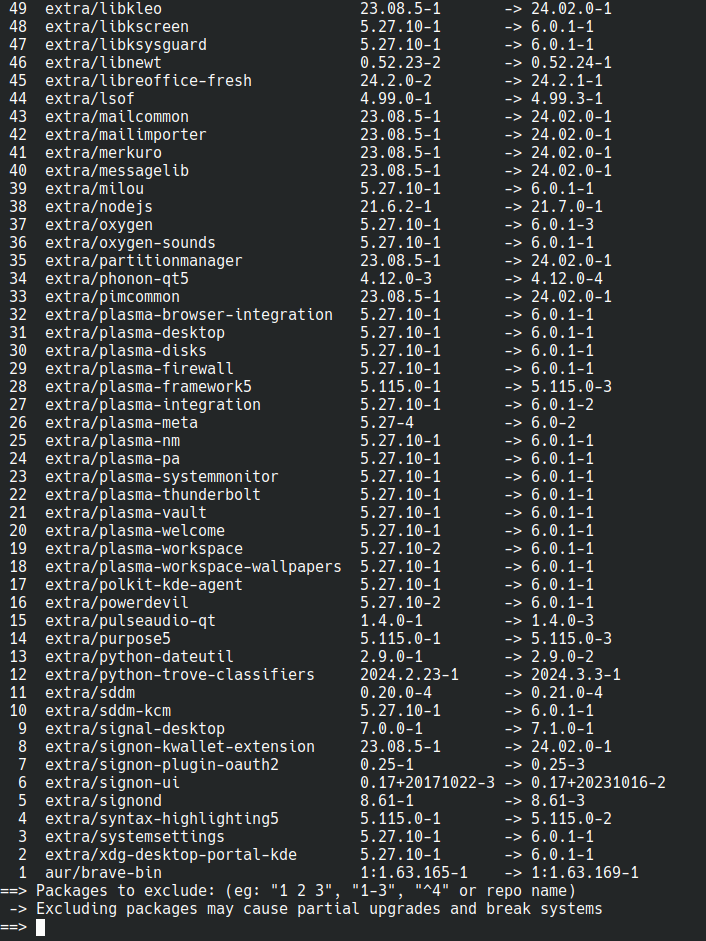
Didn’t realize this was happening and yay -Syu went brrr and it broke my shit. Probably doesn’t help that I’m running nvidia with linux (endeavouros). Wayland doesn’t work at all (black screen on login with only mouse ptr, wrong resolution), while Xorg is now much less smooth e.g. on the switching desktop animations. Moving windows around and in-window graphics are fine. Some graphical config stuff changed too; I’m still taking inventory.
I’m also currently playing with nvidia vs nvidia-dkms with different kernels to see if that solves anything.
EDIT: Looks like that my configuration was failing to set
nvidia_drm modeset=1correctly due to my unfamiliarity with dracut. Manually addingnvidia_drm.modeset=1to my kernel cmdline makes Wayland work (and quite well at that), though Xorg is still laggy.On rolling release distros you should always read (or at least skim) over what’s being updated and if it may impact you.
Oh absolutely, I don’t blame KDE or arch repos lol. I did see that it was a KDE update but somehow didn’t clock the version number. I had it in my head that KDE6 was much farther off.
Sorry to hear that. Also on EOS and it is working great.
Same here on Lenovo Ideapad(I think) and EOS. No problems at all.