
Plasma 6.1 is here!
New features include a cool take on Plasma’s edit mode, keyboard LEDs that sync with accent colors, an inbuilt Remote Desktop Server that let’s you access Plasma desktops over a network, lots of bug corrections and improvements.
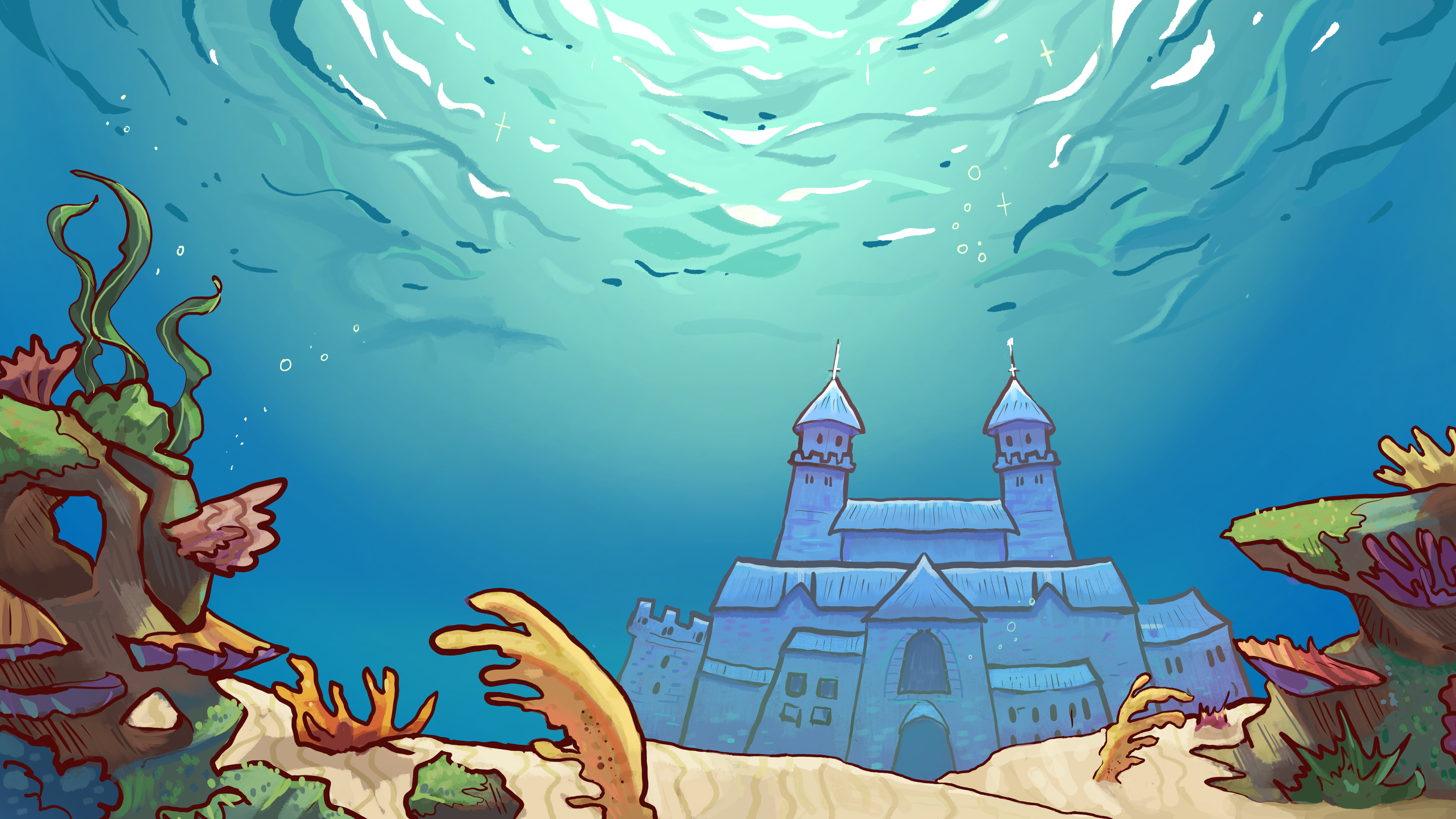
Note that due to unforeseen circumstances, we have been unable to ship the new wallpaper, “Reef”, with this version of Plasma. However, a new wallpaper will be coming soon in the next 6.2 version of Plasma.
If you can’t wait, you can download “Reef” from here:
@kde@floss.social @kde@lemmy.kde.social No way! The most important thing!
@kde@floss.social @kde@lemmy.kde.social The wallpaper “Reef” was unable to “ship” for this release.
@textovervideo @kde@floss.social @kde@lemmy.kde.social It’s beautiful, but a shipwreck seems like a strange choice for a flagship wallpaper.
(Yes, pun intended - easy target.)
@kde@floss.social @kde@lemmy.kde.social Reminds me of Spongebob Squarepants.
@kde@floss.social @kde@lemmy.kde.social The wallpaper looks awesome!
@kde@floss.social @kde@lemmy.kde.social is it cc by-sa?
Plasma 6.1 on Wayland now has a feature that “remembers” what you were doing in your last session like it did under X11. Although this is still work in progress
Well, prepare your butts. I’ve got 20+ virtual desktops and I’m only mildly afraid to log out of them.
To maybe prevent a catastrophe: The system is not able to restore virtual desktop assignments yet, it only starts the apps you had open before.
Ah, that’s a pity, but I half-expected that to be what’s still work-in-progress, especially since I’m also using Activities to group my workspaces.
I do hope the new system allows creating something more reliable in the long-term, though.
@kde@floss.social @kde@lemmy.kde.social Remote desktop server! Is that RDP compatible, for connections from Windows machines?
I’ve been waiting for this release, because of the first item on the first TWiK after the release of Plasma 6.0:
There’s a new KWin effect called “Hide Cursor” (off by default for now, but try it!) that will automatically hide the pointer after a period of inactivity (Jin Liu, Plasma 6.1. Link)
https://pointieststick.com/2024/03/02/this-week-in-kde-a-smooth-release/
I can hardly wait for this plus the v555 Nvidia driver to come to Fedora
I can’t wait for it to come to arch!
ooooh yeah ♥️
@kde@floss.social @kde@lemmy.kde.social
Paaaarty-time! Woo-hoo, KDE team!Plasma 6.1 on Wayland now has a feature that “remembers” what you were doing in your last session like it did under X11. Although this is still work in progress, If you log off and shut down your computer with a dozen open windows, Plasma will now open them for you the next time you power up your desktop, making it faster and easier to get back to what you were doing.
Maybe I’m just a boomer but this feature is so incredibly annoying to me and is one of the first things I disable on new installs
Alternate perspective: I use the heck out of session restore, and it has driven me nuts that it hasn’t worked properly under Wayland.
I tend to use different virtual desktops for different projects, so being able to reboot (because of a kernel update and needing to load a module or something) without losing and having to rebuild that state is is super valuable.
@kde@floss.social @kde@lemmy.kde.social looking great! Congrats on the release 🎉
@kde@floss.social @kde@lemmy.kde.social
Maybe we passed from the “Bronze Age” and are entering the “Iron Age” of Linux.This new and refined and modernized Plasma 6 arrives at the same time that many fundamental things behind the scenes are being “fixed” and evolved.
Isn’t lagging behind Windows anymore in a few key areas, there’s more support from big corporations, and even Gnome is “getting got” finally.This next half decade seems promising.
@kde@floss.social @kde@lemmy.kde.social
Plasma 6.1 is absolutely beautiful.
I’ve had a sweet spot for KDE ever since I managed to get KDE 1 running on an SGI Indy running IRIX 6.5 at university and on my Pentium 233MMX running Slackware '96.
Congratulations on the release!
I’m still mind blown that you actually have official support for OpenBSD 🤯🐡
@kde@floss.social @kde@lemmy.kde.socialAlways fun to try new software, but how the bleep do I disable the screen edge between monitors? the little “catch” is driving me crazy.
@Genom
Look under workspace behaviors. I believe it is hotcorners that are bothering you. Let me know if my quick guess is wrong.If like me your a noob who did now know how to change this, it’s in Mouse settings, Screen Edges, Edge Barrier. Set to 0, no more wall on the screen edge.
@Genom
I probably remember where it was in Plasma 5. Glad you found it.