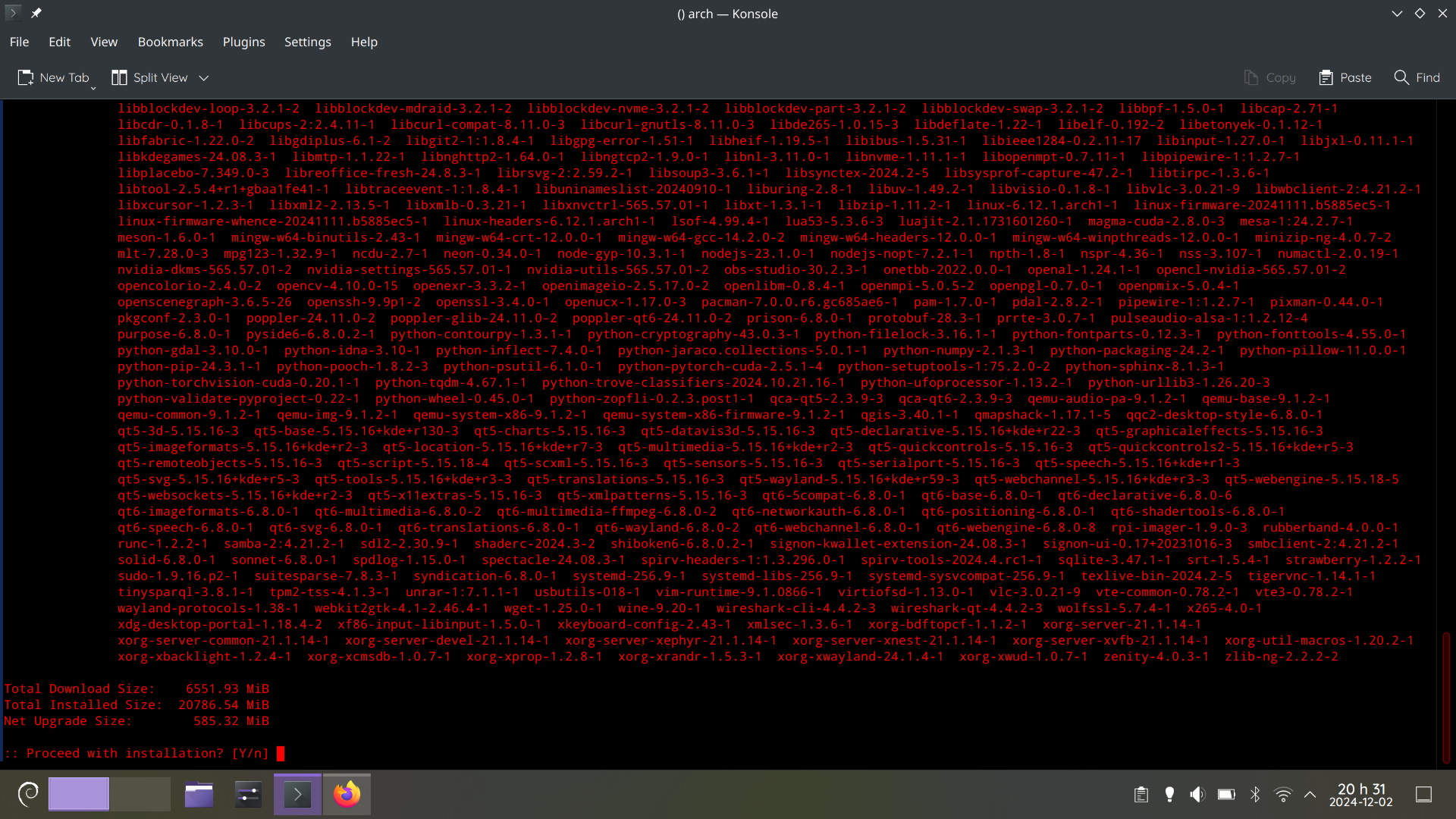
To be fair, arch could look like that after a few days.
NixOS is like that every day for no reason
staging rebuild cycles only happen every two weeks or so.
The reason is always that something changed and causes all dependent packages to change, requiring a rebuild of those too.
It is arch
It looks like it’s Debian’s logo in the bottom left and that that’s
aptoutput.EDIT Nope, that’s
pacmanoutput, seems like they ssh’d into another arch-machine.
Read the Arch news before clicking “yes”.

I used to be an adventurer like you, but then I took an error to
gpg.
I have Informant installed for this. Saved my hide a few times.
people laughed at me for choosing debian. they asked why i chose to have ancient runes running in my computer
who’s laughing now?
Still we, dinosaur.🦖
You see, this is why atomic desktops aren’t a bad idea.
This has nothing to do with immutable desktops.
Well in an immutable distro, there is little to no chance for the system to end up in an unusable state (I guess it is the same for distros which apply the updates atomically). Traditional distros are far more likely to bork when so much shit is updated at once
I don’t think this is true. The package manager is there for a reason to prevent that. If you have more updates to install at a time, then the chances are the same as if you would have installed the problematic update one at a time. Just read the manual intervention information from Arch and see if there is something to do, then it won’t bork. If people don’t know what they are doing and do not read the additional information (that is required to do so on Arch), well yes, then you could end up borking your machine. But not because so many updates are installed at a time. The package manager and operating system and their maintainer designed it in a way that you can install ton of updates at a time without borking. This is fine.
Between this comment about arch and the other comment about opensuse, it must only be apt which has issues with large updates with complicated dependency chains. I remember 5-6 years ago Ubuntu borking itself when I tried to update after a decent gap and had 100+ packages to update. There is also the fact that people used to advice me to make a clean install in lieu of updating whenever a new version of Ubuntu dropped.
Before my switch, i used Ubuntu exclusively for 13 years in row. I always heard of problems (and not at least because of the PPA repositories) when upgrading from one major version to the next, be it a LTS or not. I never did that and always installed fresh because of these stories. Mostly 4 years in between, or sometimes 2.
Its entirely possible that most problems happened because of packages from PPA that the user did not change for the new upgrade. Because PPA repositories were often designed for a specific version of Ubuntu. So its not entirely the fault of the
aptpackage manager in that case.No, it’s just that Ubuntu never correctly upgrades between releases.
I’ve tried so many times, and it basically always failed.
It’s arch. There’ll be no issue here.
As an anecdote (and not statistics) I have distro upgraded OpenSUSE with 5000 packages to install (thanks TeXlive LaTeX). It was fine.
I have yet to break anything doing release upgrades on Debian since… 7? Or 6?
I did this regularly on arch. And it didn’t end very well.
So you neglected the operating systems maintained regularly, despite it being a rolling release? I assume you didn’t read the manual intervention instructions that are posted regularly too. I don’t understand people using a rolling release and then not caring about the maintenance. Off course it won’t end very well.
Well, my life turned to chaos at some point and I had to neglect some things for a while.
I’m using arch on my desktop for >5 years. Never read those instructions. Sometimes my update looks like OPs. Just hit Y. All fine.
Then you were “lucky” (given you neglected this part for more than 5 years). Depending on what packages and configuration you have, you MUST do manual intervention to have a working and optimal system. While you were lucky, I wouldn’t recommend anyone to ignore the posts on https://archlinux.org/news/ , there are only couple of short posts per year, so not really a time waste.
This is why I Dont use rolling release Distros on Pcs i wont use often.
Because you get updates and have an up to date system?
Because you get a update once a update for a package comes out, If you dont update for a very long time you need to download a very large update.
Sure, and that’s exactly what you want if you are on a rolling release, isn’t it? If you neglect the rolling release for a month, what did you expect would happen? Also if you have more apps and packages, the more updates will come out. Rolling releases are for people who maintain the system and care about the updates.
What if my pc breaks down or I cannot use it for a month or smth.
On servers and pcs I don’t use often yeah its fairRead the manual intervention notes from Arch that could be important. And do the update. That’s normal and nothing to worrry about, if you know what you are doing.
I’d guess the updates would be about the same on a stable distro, this was a very cluttered install.
Remembers Tumbleweed fondly
Haskell packages every other day…
Nah, just update it.
I’m sorry, I gotta - you have the menu on AND the button bar? like, why? you click on those things? you got your screen real-estate on a sale, what?
Be nice, can’t you see they’re only able to afford red pixels?
Both of them combined only take about 1 inch of vertical space, so it’s not that big in real life.
And they’re red, that means the offer is about to expire. Better act quick!
Better apt quick!
Looks like a !!FUN!! time in Dwarf Fortress.
Those are rookie numbers.
Is it Debian Sid?
arch linux, i’m sshed from my debian machine.
welp, looks like you don’t use python virtualenvs… well i guess jokes on you all your shit is probably broken now (and as a bonus, that’s probably a big part of the donwload size as well) :p
Probably should, but this machine is already cluttered terribly. A good bit of the download size is likely Pytorch files.