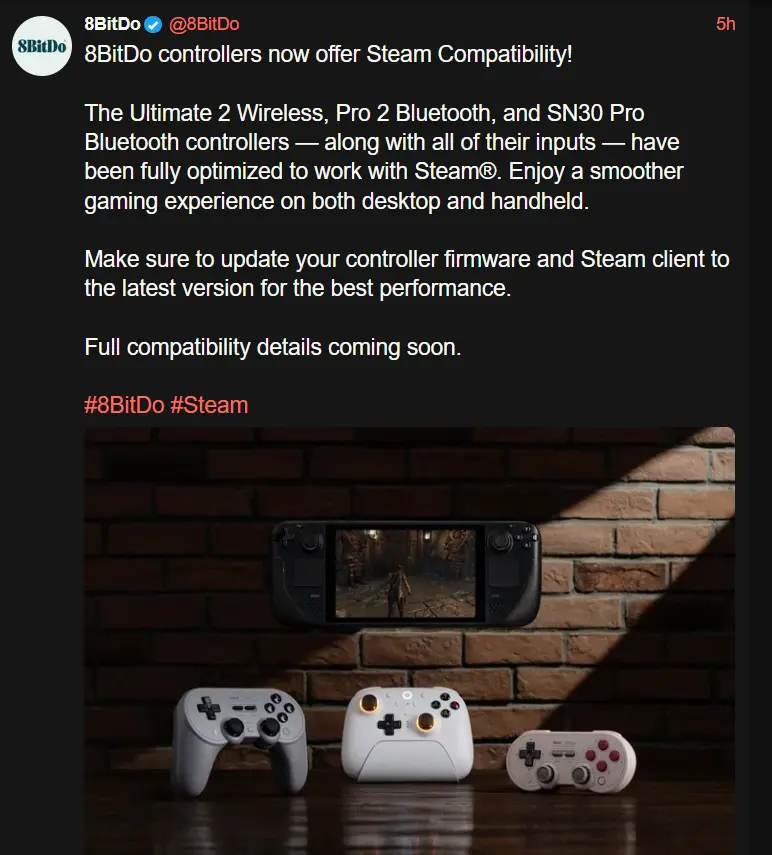
These controllers were all working on SteamOS before as far as I know, so I’m interested to see what this changes. My understanding is that previously their controllers just show up as generic xbox controllers, and now they will be properly recognized. We’ll see if this has any other benefits like custom bindings for back buttons and things like that.
Edit:
According to @dualpad@lemmy.zip
got the 8bitdo Ultimate 2 wireless controller with the latest firmware update, and can confirm dinput mode lets me map the back buttons and extra bumpers to different inputs through Steam Input. Analog triggers and gyro work too.
8bitdo controllers now offer Steam compatibility!
Full compatibility details coming soon.
What a non-announcement announcment.
It sounds like they have to wait for support to move from the Steam Client Beta to mainline. That happens on Valve Time, so they genuinely do not know.
Then they shouldn’t say anything.
I have a Pro 2 and my only complaint with it with “SteamOS” (Bazzite) is that the back paddles don’t actually work with Steam Input directly. You can program them with the Ultimate Software, but that means they’re stuck only repeating the input of another button on the controller. So if this update brings full Steam Input support that would be awesome, as it would mean you can set all kinds of other functions to them. Plus not having to use a seperate software, and controller-based profiles, would be awesome.
So if this update brings full Steam Input support that would be awesome
It does!
Fluff yeah!!
This is my main complaint about my 8bitdo pro controller. Shame this seems to be only for the newer generation 😔
I love these controllers. Side note Everyone please don’t stop signing EU: https://eci.ec.europa.eu/045/public/#/screen/home UK: https://petition.parliament.uk/petitions/702074/
So how do you update firmware with just a Steamdeck? 8bitdo does not seem to supply Linux software support anymore, so it feels a bit hilarious that they support SteamOS without any official way of updating controllers there.
I found the fwupd tool on github, but it seems a hacky way that cannot update everything. Can the 8bitdo tool be run via proton/wine?
Tried it, not it cannot
Isn’t fwupd already included in SteamOS? Or is there a specific 8bitdo fwupd tool?
maybe it is (don’t have my deck with me to check) but even so, it is not an officially supported tool and I can see from issues on Github that people cannot find their controllers on there. not sure if that’s very old or very new ones.
https://fwupd.org/lvfs/devices/
In the devices list of lvfs/fwupd there’s a bunch of controllers supported. But it seems like it’s mostly their retro controllers. XBox-style controllers like their Ultimate C etc. are not supported.
I really wish you could swap the buttons easily to match the system. The 8-bitdo controllers tend to have the Nintendo layout which kind of sucks because most games don’t support that they use Xbox. And then of course if you get into emulation nothing will match the PlayStation so I either need several controllers around or to memorize locations
At least in Steam, there is a “use Nintendo layout” or something setting to swap X and A
How do I update my controller on my steam deck when the update software is only on windows?

So it’s just bullshit marketing. Got it thank you
Probably have to use Windows to update it. Once the proper firmware is applied then going into dinput mode on the 8bitdo Ultimate 2 wireless controller allowed me to map the back buttons and extra bumper buttons through Steam Input. Was also able to set up gyro too.
You can update via Android or iOS I believe
Unfortunately not the SN30 Pro, only Pro 2 and newer.
Has anyone gotten this to work? I have both the SN30 Pro and the Pro 2, both display the latest firmware update as 2.06 which just lists Switch 2 compatibility. Steam doesnt seem to recognize the back buttons on the Pro 2 either.
Ive been waiting for this. Which one is the best one to get for both my Steam Deck and desktop?
I’ve been using DS3 controllers for over a decade, but they are starting to wear. The drift isn’t bad at all, but it’s there, although I suspect it’s mostly a few rubbers that’d need replacing, I have heard great things about 8BitDo, especially their Hall Effect controllers. Very reasonably priced as well.
So this announcement is just the kick in the butt I needed to get a Pro 2 Hall Effect one.Do y’all use a controller in heldheld mode or only docked? I’m curious what the use case is here.
I only use controllers when docked personally
Nice, thanks. How has your docked experience been? I’ve only been able to get it working well with low-power games like Monster Train. Any 3d game seems to run horribly, even older titles.
Recent updates have caused some crashes actually when docking to my TV, but I’m on beta OS updates and have a lot of deck plugins, so it might not be affecting other people.
Other than that docked play is pretty good in my experience. There’s a major performance hit if you have upscaling set to use fsr though, especially on 4k monitors.
Interesting, I’ll have to play around with it. I’ve been docking it to my 4k TV so maybe I need to force a lower res.
That’s usually ok if you’re not using fsr, but for the deck I personally recommend capping the external display resolution at 1080p.
Ultimate 2 wireless I use with 2.4Ghz through the docking station. It works well but it was annoying that the back paddles and L4/R4 buttons (secondary bumpers) could only be mapped as another button, instead of being their own function. It will be nice to have the extra buttons if that is what’s working now. I had the beta firmware on them but steam still did not recognize them yet (but the beta firmware did allow Switch 2 to recognize them!)
I can get this to work on my steam deck. Back buttons and gyro.
But on my PC, it doesn’t work. Does anyone know what the requirements for this to work are? Do I need a specific Bluetooth version?
I’m still holding out on the next generation of steam controller for playing games on my deck while docked. Until then, my 8bitdo pro 1 has been wonderful.