
Beehaw
  • Communities
  • Create Post
  • search
    Search
  • Login
  • Sign Up
Like A Duck ( likeaduck@programming.dev )  to Programmer Humor@programming.dev · 3 年前

data secured

lemmy.world

message-square
58
link
fedilink
560

data secured

lemmy.world

Like A Duck ( likeaduck@programming.dev )  to Programmer Humor@programming.dev · 3 年前
message-square
58
link
fedilink
alert-triangle
You must log in or # to comment.
  • glad_cat ( glad_cat@lemmy.sdf.org ) 
    link
    fedilink
    arrow-up
    63
    ·
    3 年前
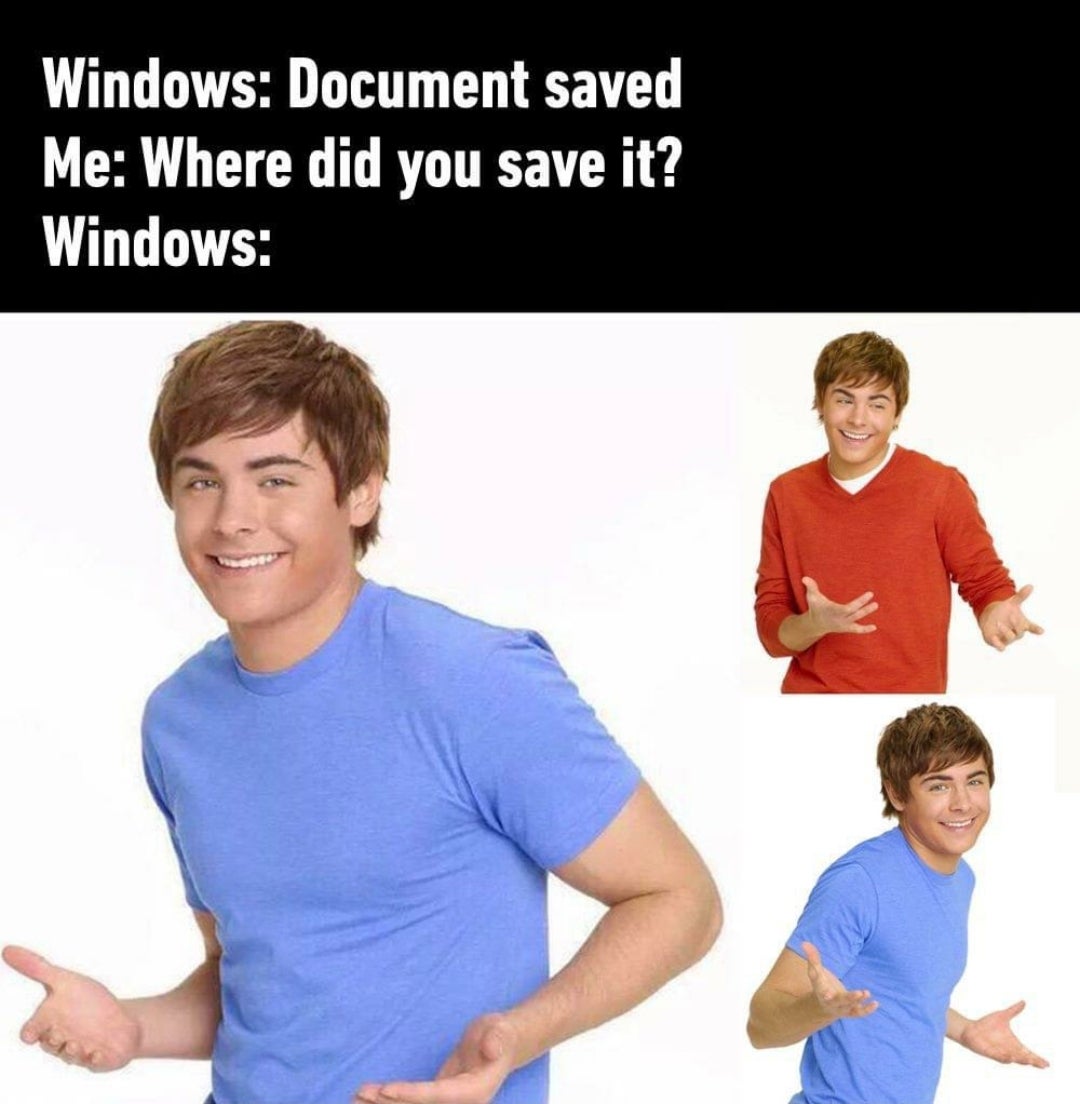
    • Me: Ctrl+S, please save this file
    • Windows: Do you want to save it on SharepointOnedriveCloudthing?
    • Me: Put it in the local Downloads folder FFS
    • Windows: OMG it’s too hard!
    • Okalaydokalay ( Okalaydokalay@lemm.ee ) 
      link
      fedilink
      arrow-up
      39
      ·
      edit-2
      3 年前

      deleted by creator

      • glad_cat ( glad_cat@lemmy.sdf.org ) 
        link
        fedilink
        arrow-up
        8
        ·
        3 年前

        You save my life, thanks!

    • thepianistfroggollum ( thepianistfroggollum@lemmynsfw.com ) 
      link
      fedilink
      English
      arrow-up
      17
      ·
      3 年前

      LPT: get a debloater to remove One Drive and other MS bullshit.

      • Vishram1123 ( Vishram1123@lemm.ee ) 
        link
        fedilink
        arrow-up
        14
        ·
        3 年前

        LPT: Use Linux

        • thepianistfroggollum ( thepianistfroggollum@lemmynsfw.com ) 
          link
          fedilink
          English
          arrow-up
          3
          ·
          3 年前

          Right, because running one script is way more of a hassle than running Linux.

          • ImpossibleRubiksCube ( ImpossibleRubiksCube@programming.dev ) 
            link
            fedilink
            arrow-up
            3
            ·
            edit-2
            3 年前

            deleted by creator

      • LinkOpensChest.wav ( LinkOpensChest_wav@lemmy.one ) 
        link
        fedilink
        arrow-up
        5
        ·
        edit-2
        3 年前

        Removed by mod

    • ImpossibleRubiksCube ( ImpossibleRubiksCube@programming.dev ) 
      link
      fedilink
      arrow-up
      5
      ·
      edit-2
      3 年前

      deleted by creator

  • JokeDeity ( JokeDeity@lemm.ee ) 
    link
    fedilink
    arrow-up
    36
    ·
    3 年前

    I keep seeing this sentiment from people who are supposedly savvy with computers. I never have to question where a file was saved to on Windows and I’m not sure why you guys do.

    • abir_vandergriff ( abir_vandergriff@beehaw.org ) 
      link
      fedilink
      arrow-up
      20
      ·
      3 年前

      I’ve questioned it before when I just didn’t watch where it went, but it usually takes just a few seconds to figure it out most of the time.

      Now Android on the other hand…

      • JokeDeity ( JokeDeity@lemm.ee ) 
        link
        fedilink
        arrow-up
        5
        ·
        3 年前

        Here fucking here. I never don’t have a hard time figuring out where a saved file went on my phone. And every app seems to have it’s own idea of where the best place to put downloaded files should be.

    • isosphere ( isosphere@beehaw.org ) 
      link
      fedilink
      arrow-up
      11
      ·
      3 年前

      Office is weird about it because of their OneDrive product

    • wpuckering ( wpuckering@lm.williampuckering.com ) 
      link
      fedilink
      English
      arrow-up
      11
      ·
      3 年前

      Same here, I’ve never had this problem, ever. I don’t even get how it’s possible to not know where your files are being saved if you are the least bit techsavvy.

    • amio ( amio@kbin.social ) 
      link
      fedilink
      arrow-up
      9
      ·
      3 年前

      Garden variety low effort meme. haha windows (or windass or windowns or whatever) bad so funiiii lolololololo etc - a few linuxmemes are basically… this.

      Not sure what it does in programmer humor though - if you, as a programmer, find yourself in this situation… just git gud?

      • QuazarOmega ( QuazarOmega@lemy.lol ) 
        link
        fedilink
        arrow-up
        17
        ·
        3 年前
        git: 'gud' is not a git command. See 'git --help'.
        
        • JokeDeity ( JokeDeity@lemm.ee ) 
          link
          fedilink
          arrow-up
          3
          ·
          3 年前

          pip install good

    • fidodo ( fidodo@lemm.ee ) 
      link
      fedilink
      arrow-up
      6
      ·
      3 年前

      In my experience it’s easiest to find things in Linux, next easiest in Windows, and on OSX, good luck with that.

      • zerofk ( zerofk@lemm.ee ) 
        link
        fedilink
        arrow-up
        4
        ·
        3 年前

        One of the very very very few good features of macOS: cmd-click the title bar of a document window to pop up a window with the document location.

        It does not work on Microsoft’s products on macOS though.

    • worfamerryman ( worfamerryman@beehaw.org ) 
      link
      fedilink
      arrow-up
      4
      ·
      3 年前

      Windows seems to have irregular behavior in this regard. It usually defaults to the downloads folder. But sometimes it defaults to the last folder I saved a file to.

      It might just be windows being buggy or something, but there were a number of time where I hit save and then the file is not where I expected it to be.

      I could have prevented the mistake by paying attention first, but windows could also be consistent.

    • Little1Lost ( Little8Lost@feddit.de ) 
      link
      fedilink
      arrow-up
      1
      ·
      3 年前

      sometimes i am not sure when like paint that saved the filepath for the pic that was made a few months before. In that case i use save as again to look where it should have put my file and copy the path

      • JokeDeity ( JokeDeity@lemm.ee ) 
        link
        fedilink
        arrow-up
        1
        ·
        3 年前

        I’m having trouble understanding your sentence.

        • Little1Lost ( Little8Lost@feddit.de ) 
          link
          fedilink
          arrow-up
          1
          ·
          3 年前

          MS paint saves stuff to the last given location.

          When i save something without remembering the location i try to save my file again, so it gives me a explorer pop up so i see the location again

          • JokeDeity ( JokeDeity@lemm.ee ) 
            link
            fedilink
            arrow-up
            2
            ·
            3 年前

            Odd, I just tested this and clicking save brought up a window for me, it was not automatically to the last location, and I use the program at least once a month so it’s not my first time running it or anything.

    • Hogger85b ( Hogger85b@kbin.social ) 
      link
      fedilink
      arrow-up
      1
      ·
      3 年前

      Yep it’s just click top.toolbar see the breadcrumbs…it used to be a problem 15years ago and I still.question the name it uses when I open a file from outlook (why not downloads) but is pretty easy to find again

  • sj_zero ( sj_zero@lotide.fbxl.net ) 
    link
    fedilink
    arrow-up
    26
    ·
    3 年前

    I feel like that’s worse on android and ios. The former it’s like “I saved it somewhere in this byzantine folder structure!” and in ios it’s like “Fuck you we don’t talk about folder structure”

    • marco ( marco@beehaw.org ) 
      link
      fedilink
      arrow-up
      4
      ·
      3 年前

      I also encounter this frequently on MacOS…

      • JackbyDev ( JackbyDev@programming.dev ) 
        link
        fedilink
        English
        arrow-up
        2
        ·
        3 年前

        Yeah, Finder is like “what the fuck is a path? Clearly something too technical for the average user.”

  • WarmSoda ( WarmSoda@lemm.ee ) 
    link
    fedilink
    arrow-up
    23
    ·
    3 年前

    Documents folder: obviously where video game files should go…

    • ivanafterall ( ivanafterall@kbin.social ) 
      link
      fedilink
      arrow-up
      8
      ·
      3 年前

      Some of them, anyways!

      • WarmSoda ( WarmSoda@lemm.ee ) 
        link
        fedilink
        arrow-up
        12
        ·
        3 年前

        I can’t stand when games do it. Just put the files in a designated folder where the game is installed dammit!

        • ivanafterall ( ivanafterall@kbin.social ) 
          link
          fedilink
          arrow-up
          16
          ·
          3 年前

          I’ll meet you halfway: I created a new folder in the hidden folder %AppData% –> .NameofPublisher –> GameName

          • WarmSoda ( WarmSoda@lemm.ee ) 
            link
            fedilink
            arrow-up
            8
            ·
            3 年前

            …make it stop…

          • gandalf_der_12te ( gandalf_der_12te@feddit.de ) 
            link
            fedilink
            arrow-up
            1
            ·
            3 年前

            That actually makes sense!

        • Jerkface ( Jerkface@lemmy.ml ) 
          link
          fedilink
          arrow-up
          8
          ·
          3 年前

          In C:\Program Files? Or C:\Program Files (x86)?

          • elint ( elint@programming.dev ) 
            link
            fedilink
            arrow-up
            1
            ·
            3 年前

            C:\Program Files\ unless your program is 20+ years old and you still haven’t written a version for modern-day systems. 32-bit is dead.

            • Jerkface ( Jerkface@lemmy.ml ) 
              link
              fedilink
              arrow-up
              4
              ·
              3 年前

              Let’s take a look at the old ssd…

              C:\Program Files (x86)\Epic Games
              C:\Program Files (x86)\GOG Galaxy
              C:\Program Files (x86)\Hearthstone
              C:\Program Files (x86)\Steam\

              etcetera

        • NotAnonymousAtAll ( NotAnonymousAtAll@feddit.de ) 
          link
          fedilink
          arrow-up
          5
          ·
          3 年前

          Please don’t mix executables and data created by applications, even if the application happens to be a game. Those are supposed to be separate. That being said, “Documents” is obviously the wrong place for save game files.

    • Arnaught ( Arnaught@kbin.social ) 
      link
      fedilink
      arrow-up
      2
      ·
      3 年前

      Hey, some games don’t even bother with the documents folder! They just dump their saves right in your home folder!

    • neocamel ( neocamel@lemmy.studio ) 
      link
      fedilink
      arrow-up
      2
      ·
      3 年前

      Dude fucking iRacing…

  • PelicanPersuader ( PelicanPersuader@beehaw.org ) 
    link
    fedilink
    arrow-up
    23
    ·
    3 年前

    Android: Photo downloaded

    Me: Where did you download it?

    Android: ¯_(ツ)_/¯

    • Psythik ( Psythik@lemm.ee ) 
      link
      fedilink
      arrow-up
      17
      ·
      3 年前

      Yeah seriously, Android is way worse at this. At least Windows has the option to ask you where you want to save the file to first.

      • ImpossibleRubiksCube ( ImpossibleRubiksCube@programming.dev ) 
        link
        fedilink
        arrow-up
        13
        ·
        edit-2
        3 年前

        deleted by creator

        • neocamel ( neocamel@lemmy.studio ) 
          link
          fedilink
          arrow-up
          5
          ·
          3 年前

          I wonder if there are any third-party os’s that can do better on a jail broken android?

          • ImpossibleRubiksCube ( ImpossibleRubiksCube@programming.dev ) 
            link
            fedilink
            arrow-up
            3
            ·
            edit-2
            3 年前

            deleted by creator

          • KSP Atlas ( KSPAtlas@sopuli.xyz ) 
            link
            fedilink
            arrow-up
            3
            ·
            3 年前

            You could install PostmarketOS and then basically use any linux shell of your choosing

      • NutWrench ( NutWrench@lemmy.ml ) 
        link
        fedilink
        arrow-up
        1
        ·
        3 年前

        Solid Explorer has a “Recent” category on the directory tree. Really handy. Also, if you long-press on a file, you can open the directory the file is saved in.

    • Scrithwire ( Scrithwire@lemmy.one ) 
      link
      fedilink
      arrow-up
      8
      ·
      3 年前

      I miss the bot that gives you your arms back when you put that emoji

    • mexicancartel ( mexicancartel@lemmy.dbzer0.com ) 
      link
      fedilink
      English
      arrow-up
      2
      ·
      3 年前

      Downloads? Lol

      • NarendraCzar ( covert_czar@lemmy.dbzer0.com ) 
        link
        fedilink
        arrow-up
        1
        ·
        3 年前

        ¯_(ツ)_/¯ if you saved from a third party video editing photo editing apps or else it will save ANYWHERE the app likes

        • mexicancartel ( mexicancartel@lemmy.dbzer0.com ) 
          link
          fedilink
          English
          arrow-up
          1
          ·
          3 年前

          Sometimes AppName/whatever Or Pictures/AppName/ Or DCIM/AppName

          Still thats on apps. There are apps in pc too which does that i guess

  • Altima NEO ( altima_neo@lemmy.zip ) 
    link
    fedilink
    English
    arrow-up
    15
    ·
    3 年前

    Pretty sure it saves it to “my documents”

    That fucking no man’s land. Who actually stores shit there?

    • Zink ( Zink@programming.dev ) 
      link
      fedilink
      arrow-up
      1
      ·
      3 年前

      I’ve started doing that at work, since the documents folder is one of the handful automatically backed up to MS onedrive.

      At home the documents folder is on a network share and backed up from that little server.

  • Arnaught ( Arnaught@kbin.social ) 
    link
    fedilink
    arrow-up
    14
    ·
    edit-2
    3 年前

    The Windows Scan app is particularly bad at this. When you scan a document, it saves the scan as a PNG in Pictures\Scans. This is a sensible place to save scans by default, but it doesn’t tell you where. It just says it was saved. There’s a button to view it, but this just opens the scan in the Windows Photos app, which (at least, last I checked) doesn’t have an option to view the full path of the picture you’re viewing or open the folder it’s in!

    • null_recurrent ( null_recurrent@midwest.social ) 
      link
      fedilink
      English
      arrow-up
      11
      ·
      3 年前

      They want you to access everything through search and recently accessed because its so intuitive. It’s like they want computers to be as hard to use as possible for people who need to do actual work on many projects in any sort of organized way.

      Also, now that IT has integrated everything with OneDrive, I routinely have to wait for my own files to be redownloaded before accessing them.

  • floofloof ( floofloof@lemmy.ca ) 
    link
    fedilink
    English
    arrow-up
    12
    ·
    3 年前

    At least there’s Windows Search to bring your system to its knees by indexing everything constantly in the background, only to be both terribly slow and unable to find anything at all when you actually need it.

    I depend on Voidtools’ Everything search, which actually finds stuff.

    • Phantom52347 ( Phantom52347@lemmy.one ) 
      link
      fedilink
      arrow-up
      3
      ·
      3 年前

      PowerToys has a good search engine too

    • JackbyDev ( JackbyDev@programming.dev ) 
      link
      fedilink
      English
      arrow-up
      2
      ·
      3 年前

      What if I: Indexed everything in the background forever

      And said: I don’t know what the fuck file you’re talking about

  • TehPers ( TehPers@beehaw.org ) 
    link
    fedilink
    arrow-up
    12
    ·
    3 年前

    I’ve never had this issue on Windows, but I have on mobile many times. The more a platform tries to hide the FS from me, the more I struggle to navigate it (surprise!). Mobile devices have been moving to be more transparent that a FS exists at least in recent times.

    Casual plug for Search Everything, not FOSS but still free. It’s an alternate indexer/search for Windows, but way faster.

    • Altima NEO ( altima_neo@lemmy.zip ) 
      link
      fedilink
      English
      arrow-up
      1
      ·
      3 年前

      I like that with Samsung phones I can at least use a file browser. iPhone a fucking black box though.

    • BehindTheBarrier ( BehindTheBarrier@programming.dev ) 
      link
      fedilink
      arrow-up
      1
      ·
      3 年前

      It’s fun with screenshots, you save it and realize, you didn’t check what path it saved to because you (read: me) always puts downloads in the Downloads folder by default. It’s the last place you saved an image, shouldn’t be too hard? Just gotta find an IMG_something either in user photos or documents usually. And then fail to do so, and do a walk of shame back and try save again just to see where it actually ended up…

      I do love Everything though, it’s amazing and I constantly use it for looking for things. I know names at least partially, and that does it 99% of the time. Sorting by Path also makes it very easy to navigate when you get a lot of hits. Just a pro-tip to those yet to learn of that power.

  • HamBrick ( HamBrick@programming.dev ) 
    link
    fedilink
    arrow-up
    8
    ·
    3 年前

    How are the hackers supposed to find it if even you can’t? Exactly. Latest security at its finest

  • ImpossibleRubiksCube ( ImpossibleRubiksCube@programming.dev ) 
    link
    fedilink
    arrow-up
    6
    ·
    edit-2
    3 年前

    deleted by creator

  • atyaz ( atyaz@reddthat.com ) 
    link
    fedilink
    arrow-up
    5
    ·
    3 年前

    Does windows not have the concept of “recents” so you can find things you were just messing with easily

    • ImpossibleRubiksCube ( ImpossibleRubiksCube@programming.dev ) 
      link
      fedilink
      arrow-up
      3
      ·
      edit-2
      3 年前

      deleted by creator

  • leggettc18 ( leggettc18@programming.dev ) 
    link
    fedilink
    English
    arrow-up
    2
    ·
    3 年前

    I mean, I hate Windows as much as the next guy, but the Recent Files list can help pick up the slack here. Also Windows typically saves new files to appropriate places and saves edits to existing files in the same place you opened the file at. Not knowing where a file is has never really been a problem I’ve had with Windows. If I have it’s usually been because an individual 3rd party app did something weird.


Programmer Humor@programming.dev

programmer_humor@programming.dev

Subscribe from Remote Instance

Create a post
You are not logged in. However you can subscribe from another Fediverse account, for example Lemmy or Mastodon. To do this, paste the following into the search field of your instance: !programmer_humor@programming.dev

Welcome to Programmer Humor!

This is a place where you can post jokes, memes, humor, etc. related to programming!

For sharing awful code theres also Programming Horror.

Rules

  • Keep content in english
  • No advertisements
  • Posts must be related to programming or programmer topics
    • If the mod doesn’t find it funny, you’re banned. Ha-ha!.. For real: do not use the community for “statements”. There are other places for such content. Keep it chill and funny.
Visibility: Public
globe

This community can be federated to other instances and be posted/commented in by their users.

  • 617 users / day
  • 3.2K users / week
  • 5.12K users / month
  • 8.21K users / 6 months
  • 463 local subscribers
  • 33.9K subscribers
  • 1.61K Posts
  • 26.7K Comments
  • Modlog
  • mods:
  • Feyter ( Feyter@programming.dev ) 
  • adr1an ( anzo@programming.dev ) 
  • BurningTurtle ( BurningTurtle@programming.dev ) 
  • Pierre-Yves Lapersonne ( pylapp@programming.dev ) 
  • BE: 0.19.15
  • Modlog
  • Legal
  • Instances
  • Docs
  • Code