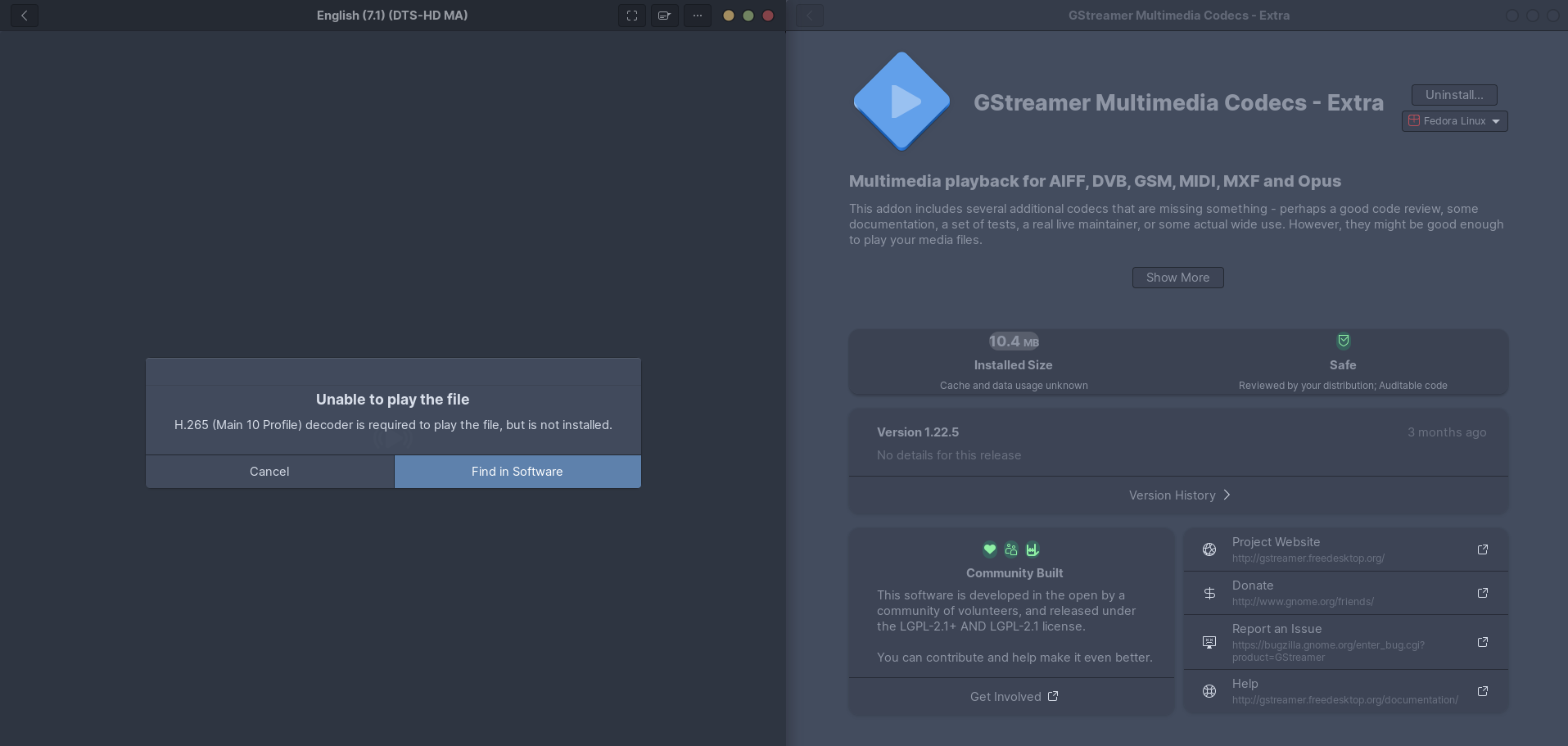

Try this:
sudo dnf update
sudo dnf install https://mirrors.rpmfusion.org/free/fedora/rpmfusion-free-release-$(rpm -E %fedora).noarch.rpm https://mirrors.rpmfusion.org/nonfree/fedora/rpmfusion-nonfree-release-$(rpm -E %fedora).noarch.rpm
sudo dnf groupupdate core
sudo dnf swap ffmpeg-free ffmpeg --allowerasing
sudo dnf groupupdate multimedia --setop="install_weak_deps=False" --exclude=PackageKit-gstreamer-plugin
sudo dnf groupupdate sound-and-video
You should also add the hardware accelerated codecs, by following the appropriate section depending on your hardware:
https://rpmfusion.org/Howto/Multimedia?highlight=%28%5CbCategoryHowto%5Cb%29Make sure to reboot.
If this still does not work, install Celluloid and enjoy the superiority of
mpv.I was actually using Celluloid before but videos were not playing until I used the commands you gave. Gnome videos is now crashing but I don’t care as much since Celluloid is now working
Can you run GNOME Videos in the command line and copy/paste the error output when it crashes?
Didn’t some distro remove hardware transcoding support for some non-free codecs for AMD hardware? I remember being really pissed at Manjaro for that a while ago when I noticed Plex was devouring my CPU. Maybe something related to that if you got AMD and hardware acceleration is forced?
I ran into something like this the last time that I installed Fedora. They have (or used to have) a fairly hardcore stance about nonfree codecs, which includes anything licensed under MPEG LA.
The codec in your screenshot probably doesn’t include support for H.265 playback - at the very least it isn’t in the list of formats. Here’s a guide that I googled for you: https://ostechnix.com/how-to-install-multimedia-codecs-in-fedora-linux/
i’ve actually already followed that exact guide and it still is not working
Well, dang! I’m sorry to read that. Codecs are definitely a tricky issue for Fedora.
Sorry this is off-topic, but what is that GTK theme? It looks really nice
nordic
deleted by creator
The Fedora documentation has the answer: Installing plugins for playing movies and music
Fedora (combined with RHEL) has great documentation, take an hour, read the docs and you’ll have a great experience.
I had this problem, but after not being able to resolve it I tried Bazzite and found the gaming experience was much better there anyway, so switched. This problem doesn’t exist on that distro.
insteall it from dnf, not flatpak
I just installed fedora a couple of days ago and this happens to me too…
I guess I’ll try a different distro 🤷♂️ it was being a nice experience until I tried to play a video
See my comment for the solution.
I guess I’ll try a different distro
LOL
Just install VLC dude
I mean yes, it’s a way to solve playing offline videos, but it doesn’t seem to stop there. I found that codecs for playing videos on Firefox are also missing
I could install Chrome as well or hack my way, but it makes me want to recommend the distro to beginners even less
just use vlc
Cause Linux is trash
nice opinion but I don’t think I understood you, you were lagging out a lot Packet dropped