Beehaw
  • Communities
  • Create Post
  • search
    Search
  • Login
  • Sign Up
aprnu ( aprnu@feddit.ch )  to Open Source@lemmy.ml · 3 years ago

LosslessCut, the Swiss army knife for lossless video and audio editing

ubunlog.com

external-link
message-square
20
link
fedilink
128
external-link

LosslessCut, the Swiss army knife for lossless video and audio editing

ubunlog.com

aprnu ( aprnu@feddit.ch )  to Open Source@lemmy.ml · 3 years ago
message-square
20
link
fedilink
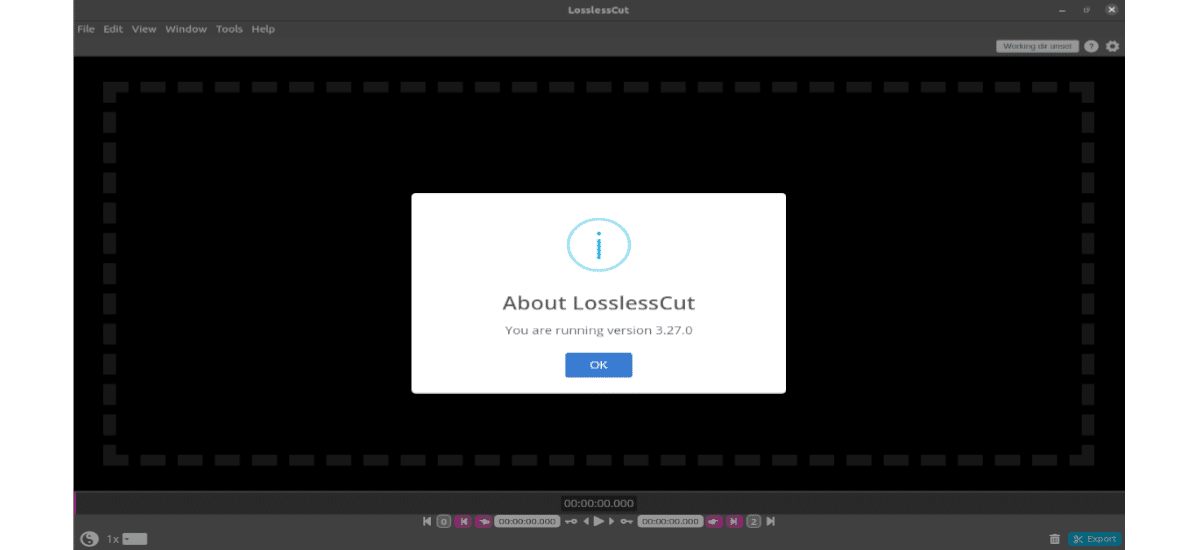
In the next article we are going to take a look at LosslessCut. This is considered by some to be the Swiss army knife of video editing.
alert-triangle
You must log in or # to comment.
  • amigan ( theamigan@lemmy.dynatron.me ) 
    link
    fedilink
    English
    arrow-up
    6
    ·
    3 years ago

    lol@typescript and appImage. Yuck. Just use mpv to find cutpoints and man ffmpeg

    • ryannathans ( ryannathans@aussie.zone ) 
      link
      fedilink
      arrow-up
      3
      ·
      3 years ago

      What did ffplay do to you

      • amigan ( theamigan@lemmy.dynatron.me ) 
        link
        fedilink
        English
        arrow-up
        3
        ·
        3 years ago

        Nothing, I just never think to use it since mpv has more features for general use.

    • mranderson17 ( mranderson17@infosec.pub ) 
      link
      fedilink
      arrow-up
      3
      ·
      3 years ago

      https://youtube.com/watch?v=9kaIXkImCAM

  • xapr [he/him] ( xapr@lemmy.sdf.org ) 
    link
    fedilink
    English
    arrow-up
    6
    ·
    3 years ago

    I’ve been using LosslessCut for a few years now. It’s really easy and smooth. It does exactly what I want and what the name says, and I couldn’t ask for more.

  • fmstrat ( fmstrat@lemmy.nowsci.com ) 
    link
    fedilink
    English
    arrow-up
    4
    ·
    3 years ago

    Or Shotcut, which can trim and so much more?

    I mean, they all use ffmpeg.

    • Taasz/Woof ( MangoPenguin@lemmy.blahaj.zone ) 
      link
      fedilink
      English
      arrow-up
      3
      ·
      3 years ago

      It can trim without re-encode? I always thought it was more like a standard NLE.

      • fmstrat ( fmstrat@lemmy.nowsci.com ) 
        link
        fedilink
        English
        arrow-up
        3
        ·
        3 years ago

        https://shotcut.org/FAQ/#how-do-i-cut-or-trim-a-clip-without-encoding-or-transcoding-it

    • gila ( gila@lemm.ee ) 
      link
      fedilink
      English
      arrow-up
      1
      ·
      3 years ago

      It’s a slightly different use case, I default to Losslesscut and switch to Shotcut when I need a vfilter or if I’m just generally willing to concede to making a lossy cut.

      Shotcut is way more flexible but I can make a quick clip in Losslesscut with probably 1/3 the number of user effort/inputs. Let alone trying to remember every ffmpeg parameter under the sun just to get consistent usable output

  • nutbutter ( nutbutter@discuss.tchncs.de ) 
    link
    fedilink
    arrow-up
    3
    ·
    3 years ago

    It is a good tool, but for me it only trims from the keyframes. To trim precisely, it has to re-encode, which, unfortunately, does not work on my machine for some reason. So, I just stick to ffmpeg cli.

    • eceforge ( eceforge@iusearchlinux.fyi ) 
      link
      fedilink
      arrow-up
      9
      ·
      3 years ago

      I suppose that makes sense given that information is encoded as a series of key frames interspersed by 'I-frames" that simply encode the delta to the previous key-frame when using most compressed video algorithms. So cutting in-between key-frames doesn’t really make sense since the I-frame would no longer have anything to reference it’s delta to.

      • ryannathans ( ryannathans@aussie.zone ) 
        link
        fedilink
        arrow-up
        3
        ·
        3 years ago

        Except if it’s lossless so there’s no harm in reencoding to accurately clip files

        • mudeth ( mudeth@lemmy.ca ) 
          link
          fedilink
          arrow-up
          4
          ·
          3 years ago

          You’re confusing cause and effect. It’s lossless because it cuts at keyframes and does not re-encode.

          If it did what you’re suggesting it wouldn’t be lossless anymore.

          • ReversalHatchery ( ReversalHatchery@beehaw.org ) 
            link
            fedilink
            arrow-up
            1
            ·
            3 years ago

            I think they were talking about a special kind of media file, that is not compressed but instead stored losslessly. I think H264 can do that too.

          • ryannathans ( ryannathans@aussie.zone ) 
            link
            fedilink
            arrow-up
            1
            ·
            3 years ago

            Lossless codecs can be decoded and reencoded without effect

            • mudeth ( mudeth@lemmy.ca ) 
              link
              fedilink
              arrow-up
              2
              ·
              3 years ago

              LosslessCut doesn’t only use lossless codecs. It losslessly cuts video files encoded in lossy codecs.

      • Hadriscus ( Hadriscus@lemm.ee ) 
        link
        fedilink
        arrow-up
        1
        ·
        3 years ago

        This has always bothered me, I suspect it’s the same underlying reason most video players can’t do reverse frame-by-frame. But Quicktime allowed it twenty years ago, so it’s possible. I suppose you’d have to actually decode the entire keyframe interval and use the resulting frames as new “baked-in” keyframes so to say. I suppose that’s more or less what djv and other frame checkers do under the hood. But I don’t know what I’m talking about so…

        • gila ( gila@lemm.ee ) 
          link
          fedilink
          English
          arrow-up
          2
          ·
          3 years ago

          That’s what I’ve always assumed it does since back when quicktime player barely even ran on my PC yet for timeline operations it was significantly more responsive than WMP/MPC.

          For Losslesscut I just get around this by encoding my input from source using keyint=n:scenecut=0 in ffmpeg where n is a manually set keyframe interval.

          So e.g. if my expected cut occurs on a frame that occurs at t+10 seconds of footage, n can be the same as the fps and then there’ll always be a keyframe exactly at timestamp 00:00:01, 00:00:02 and so on. I can then open it in losslesscut and easily snap to the frame I want and make the cut losslessly.

          Yeah the first encode generally means a lossy transcode by the time I get to my final video but being realistic that’d be a part of my workflow either way and this way it’s less

    • Taasz/Woof ( MangoPenguin@lemmy.blahaj.zone ) 
      link
      fedilink
      English
      arrow-up
      1
      ·
      3 years ago

      That’s due to the source codec using keyframes, you can only cut without re-encode on those specific points.

      • nutbutter ( nutbutter@discuss.tchncs.de ) 
        link
        fedilink
        arrow-up
        1
        ·
        3 years ago

        They allow re-encoding, but that is in experimental state. It never works for me.

  • helenslunch ( helenslunch@feddit.nl ) 
    link
    fedilink
    arrow-up
    1
    ·
    edit-2
    2 years ago

    deleted by creator

Open Source@lemmy.ml

opensource@lemmy.ml

Subscribe from Remote Instance

Create a post
You are not logged in. However you can subscribe from another Fediverse account, for example Lemmy or Mastodon. To do this, paste the following into the search field of your instance: !opensource@lemmy.ml

All about open source! Feel free to ask questions, and share news, and interesting stuff!

Useful Links

  • Open Source Initiative
  • Free Software Foundation
  • Electronic Frontier Foundation
  • Software Freedom Conservancy
  • It’s FOSS
  • Android FOSS Apps Megathread

Rules

  • Posts must be relevant to the open source ideology
  • No NSFW content
  • No hate speech, bigotry, etc

Related Communities

  • !libre_culture@lemmy.ml
  • !libre_software@lemmy.ml
  • !libre_hardware@lemmy.ml
  • !linux@lemmy.ml
  • !technology@lemmy.ml

Community icon from opensource.org, but we are not affiliated with them.

Visibility: Public
globe

This community can be federated to other instances and be posted/commented in by their users.

  • 2 users / day
  • 38 users / week
  • 1.05K users / month
  • 4.39K users / 6 months
  • 867 local subscribers
  • 49.5K subscribers
  • 3.01K Posts
  • 23.4K Comments
  • Modlog
  • mods:
  • Evan ( Cloak@lemmy.ml ) 
  • kevincox ( kevincox@lemmy.ml ) 
  • CrypticCoffee ( CrypticCoffee@lemmy.ml ) 
  • Lettuce eat lettuce ( Lettuceeatlettuce@lemmy.ml ) 
  • BE: 0.19.15
  • Modlog
  • Legal
  • Instances
  • Docs
  • Code