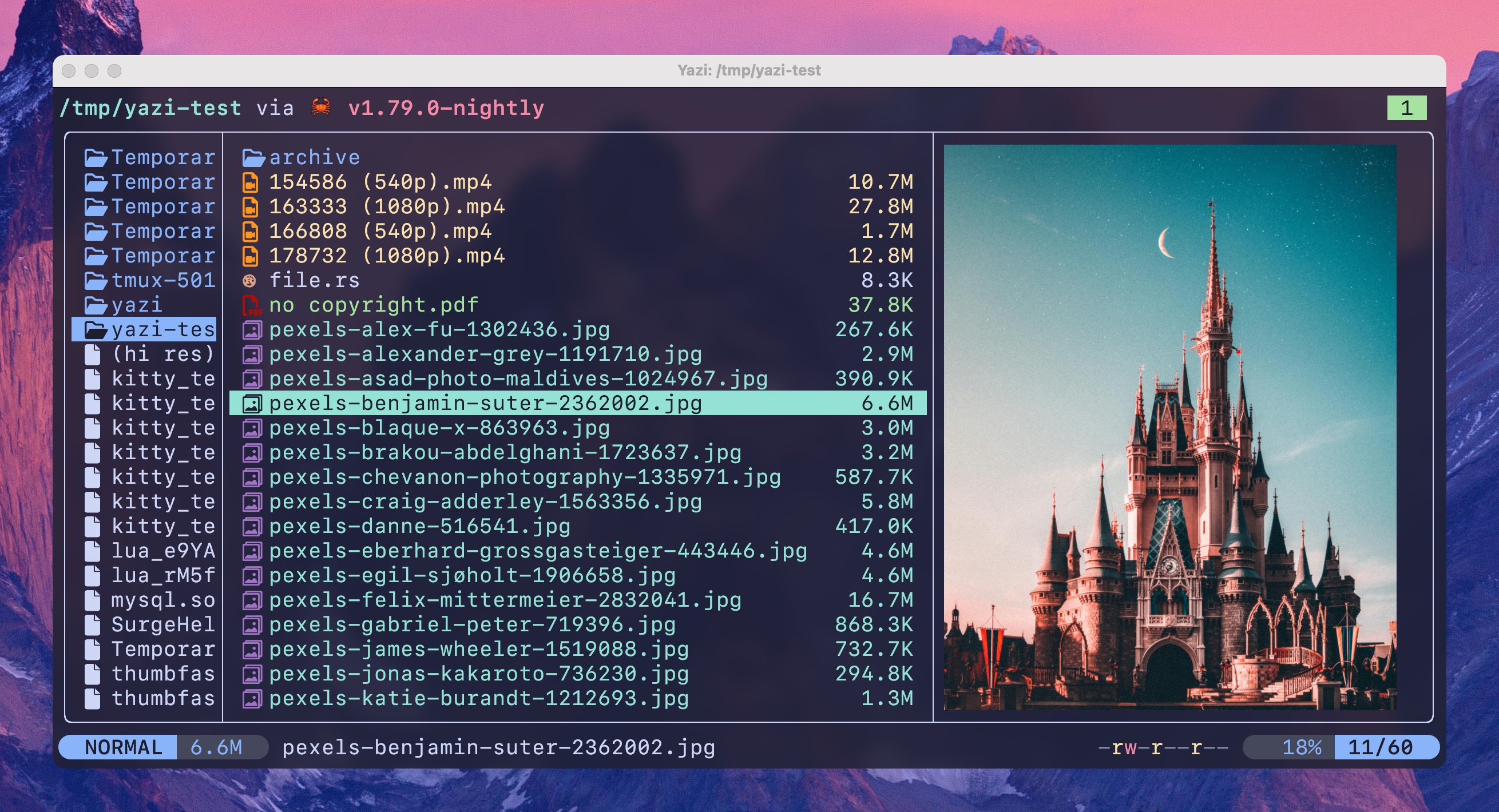
Can’t imagine using my system without this.
I binned my copies of ranger and nnn when I found this last year. Its stellar.
Diskonaut is the only other one that stuck, of the new CLI file managers. hunting lost files from a recovered hard drive was a lot easier with directory visualization for whatever reason.
What are your primary use cases for Yazi? I’m trying to see if it’ll fit into my workflow.
I’ve been experimenting with it on my MacBook Pro. When I navigate to a few Go projects I’m working on, syntax highlighting only seems to be available in the file preview. After that, it appears to just open in plain Vi.
At work, I use Windows and primarily code in C#.
Is Yazi more geared towards file management?
It hooks into nearly every base utility I can’t live without (fzf, jq, helix, ripgrep). If you’re on windows im not sure you’re going to get a ton unless you live in WSL.
You can pick the editor it’ll open by default, which should be configurable with comparable syntax highlighting. Vi can pretty much look like whatever. I think it’ll default to vscode on windows.
Im not sure what you’d use it for but manage files, but I would have poked it and probably moved along while I was still on windows.
Edit: the other benefit you might not see has a lot to do with support of mime types.
https://www.iana.org/assignments/media-types/media-types.xhtml
The xdg open protocol will open whatever app is assigned to handle type locally. Which is probably why it defaults to editor.
Most frequently I use it as an interactive
cd. Docs on howSaves me a whole lot of
lsandcdor tabbing through completions.
As a current user of ranger could this be a full replacement?
Yes. I switched to yazi from ranger. File previews is so much better. Image previews dont hog up ram or crash your manager. It has everything and more like opening encrypted archives, plugin support, themes. I use 2 plugins, one to compress files and the other to display present directory size.
It’s not just the features but the app itself is magnificent. I have never seen such a goid looking tui app.
Switched from ranger to yazi months ago. There’s some UI choices that I miss but the configuration via toml and lua plugins is way better than rangers.
I would like to find a git modeline plugin. Its wild to me that they have a zoxide integrated and keybound by default but no git integration.
Git integration support was added three weeks ago in 0.3.3 ^^
You still have to install it manually, but it will be a default plugin in an upcoming release.
I’ve installed it for a while and lot of stuff work out of the box, including images in the terminal. But I did not get around to use it more often. It’s pretty good and I think its a full replacement for the usual terminal file managers, but don’t take my word for it. I previously used vifm a little bit and have no other experience.
I used ranger and it’s a solid improvement over it. If you are into tui apps you will love it, if you aren’t it’s ok. It also has plugin system, I use 2 plugins to compress files and get file size info. I love it.
I often use it to navigate into a directory, using it as a directory selector (auto cd on exit). An essential plugin to me is https://github.com/yazi-rs/plugins/tree/main/jump-to-char.yazi , to have a Vim like quick jump with
fand a letter andnfor next. The defaultffunctionality to filter is now set toF, so I don’t lose that by overriding.Still need to handle archives too. I also want to write my own plugins someday if I get to use it more often.
It does handles all types of archives by default. Encrypted ones too.
How do you auto cd, I always wanted that but didn’t brother to check docs for it. If I remember correctly it’s by launching it as a shell script.
Yes, it’s a simple shell function; needs to be a function in your bashrc, not a script, because cd doesn’t work like that. Just copy the function from https://yazi-rs.github.io/docs/quick-start#shell-wrapper into your .bashrc:
EDIT: I forgot that Beehaw will replace the ampersand character to
&. So instead copying my code you should copy it from the link above.yy() { local tmp local cwd tmp="$(mktemp -t "yazi-cwd.XXXXXX")" yazi "${@}" --cwd-file="${tmp}" if cwd="$(cat -- "${tmp}")" && [ -n "${cwd}" ] && [ "${cwd}" != "${PWD}" ]; then builtin cd -- "${cwd}" || return fi rm -f -- "${tmp}" }I use
yyinstead singley.Thank you so much for taking the time to post it. I will add this asap.
I forgot that Beehaw will replace the ampersand character to
&. So instead copying my code you should copy it from the link above.
Am I being dense… How or where are install instructions for Debian based distros?
Think you may need to build it from cargo/rust
https://www.linuxlinks.com/yazi-terminal-file-manager/
This is kinda funny because I’ve installed it on Mint and Pop OS and I completely forgot how.
Looks pretty neat. I’ve used MC for a while but I might have to try this out
Tested remotely on termux and looks good on small screen