For years, many Ubuntu users have felt that traditional .deb packages were being gradually sidelined in favor of the Snap ecosystem.
It started quietly. Double-clicking a downloaded .deb file would open it in Archive Manager instead of the installer. Then came controversial changes. Apps like Chromium, Thunderbolt and Firefox began defaulting to Snap packages, even when users tried installing them via the apt command in the terminal.
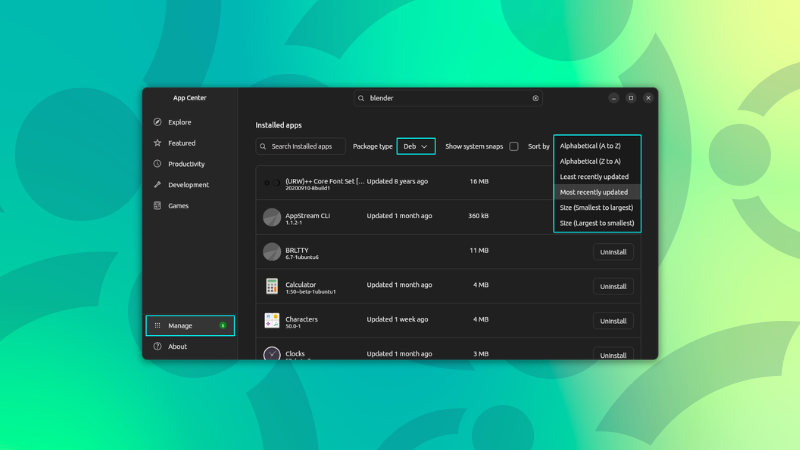
It continued further as Ubuntu introduced its new Snap Store. In Ubuntu 24.04, it ignored .deb packages completely. Double-clicking a .deb file would open the App Center, but wouldn’t actually install the package and just hang there. That behavior was later reverted after I highlighted it through It’s FOSS.
Ubuntu is dead to me
I haven’t really found a DE that I like more than Unity. Basic Gnome gets close, but the ability to separate switch between programs and their windows is a big thing for me.
But, because of snap packages being annoying, I would really like to migrate away from Ubuntu. Meh.
the ability to separate switch between programs and their windows
What do you mean?
Anyway, Ubuntu no longer uses Unity, it’s just Gnome with extensions. There’s still community effort put into Unity and there’s an Ubuntu Unity distro.
I mean that if I have four Firefox windows open, three file manager windows open, GIMP open and Steam open and press alt+tab, I get cycled through four things: Firefox, File manager, Gimp and Steam. If I want a specific Firefox window, I first Alt+Tab to Firefox and then use Meta+Tab to cycle between the different windows of Firefox. That is incredibly convenient!
On my other computer I’m currently trying OpenSUSE, and its version of Gnome does not have the option for enabling this in the keyboard shortcuts. Not really sure if my Ubuntu really uses Unity or something else, but anyway it’s something that has a feature that makes the workflow much better.
If I’m not wrong the default shortcut to cycle between app’s windows is Alt + the_key_above_tab.
Currently I’m not in front of my computer, afterwards I’ll check shortcut name and tell you.Edit:
Inside Settings > Keyboard > Customize Shortcuts, there are:- Switch applications
- Switch windows
- Switch windows of an application
That has been the default behaviour of GNOME for a while. I think the default keys are Alt+Tab (for applications) and Alt+` or Alt+~ (keyboard layout depending) for windows within applications.
On KDE the key combination Alt+Tilde tabs between the windows open for one program. E.g. if I have 4 firefox windows and 2 Konsole windows, if a Firefox window is active Alt+Tilde will tab through only the 4 Firefox windows, while Alt+Tab will tab through all the Firefox and Konsole windows.
What I was missing on KDE was a way to switch between programs without going through a bazillion windows. At one point I had five Firefox windows open, plus four file managers, and getting to GIMP ended up requiring a lot of keypresses: Firefox -> Firefox -> File manager -> Firefox -> File manager -> GIMP. I would have much preferred just Firefox -> File Manager -> GIMP. Is there a way to switch directly between programs and not between individual windows until I happen to land upon a window belonging to the program I actually need and can then Alt+Tilde to the correct program?
(Also, I think “Tilde” here does not really mean “AltGr+^ followed by space”, but instead some other button; probably the one overneath Tab?)
is this an Ubuntu problem that I’m too Kubuntu to understand?