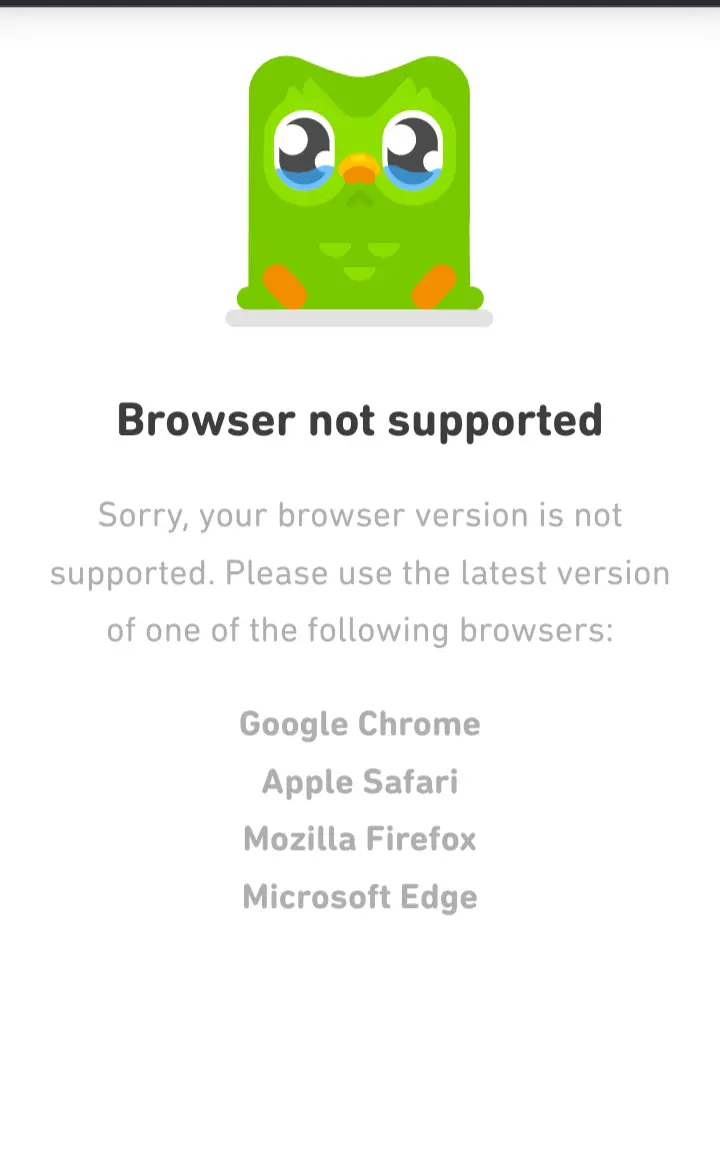
Hello, I started to experience a problem with Mull and Duolingo (and also bromite) that started about 1 month ago.
Basically Duolingo tells me that my browser is not supported but it worked perfectly fine before. Anyone experienced this issue? I can’t find an issue on mull repo apparently about this specific issue. Dunno if it is something about resisting fingerprint but I wonder why that happens…
You can try with an extension that changes the user agent of your browser; if you use the one from either firefox or chrome for android it should work. Usually its the only thing checked by sites when identifing browsers for non telemetry reasons; if the problem persists I’m not sure what it could be
Mulls user agent is firefox
It is Firefox ESR
No its not, at least for me:
Mozilla/5.0 (Android 10; Mobile; rv:122.0) Gecko/122.0 Firefox/122.0
Tried and didn’t work…
Then it may be something that mull is blocking to prevent fingerprinting that duolingo doesn’t like, I don’t know how to help in this case other than installing something like fennec in a work profile with shelter; sorry.
what on gods sake are they doing so special that requires those browsers explicitly
I’m guessing they don’t want to test on any other browsers, so it’s easier just to say that those aren’t supported. Most likely it works on others, you just need to spoof the agent.
This is definitely the case, but I wonder why companies don’t add a button, such as “Access website without support”, that would get you to the site while clearly telling you that any technical problems (of which, in 99% of cases, there will be none, since all of this seems like supporting Google internet dominance) will be ignored by support.
Most likely it works on others, you just need to spoof the agent.
I have both Mull and vanilla Firefox on Android, they use all the same headers (including User-Agent) according to DuckDuckGo’s “what’s my user agent” tool.
My guess is that the same defaults that makes Mull more private also disables either cookies or scripts that Duolingo expects to be able to use.
That’s my guess as well. Their mobile app updates feel like they are only there to circumvent adblockers and stopped working all together months ago.
They might not actually require them, but simply display this message if some features detection code fails
Install a user-agent switcher extension and pretent to be firefox or whatever. It should work.
I tried this a million different which ways a few months ago. Couldn’t get Duolingo to accept it. Gave up and haven’t been back since
Duolingo is not useful anymore anyway due to enshittification. You’d be better off using programs like babbel or pimsleur >!pirate it!<
I mean, at least it allows for more than just Chrome. You can do worse.
Duolingo, where your progress can be wiped out without any notice anytime the company wants to change the structure of the language you’re learning. Super helpful!
privacy.resistfingerprinting = truereports the Browser as “Firefox ESR”. Not sure if this even exists on mobile tbh.Added an Extension to my collection to toggle RFP
But for me Duolingo also displayed that after switching my Browser agent to “Chrome 121 Android 14” and also “Firefox 122 Android 14”.
Fuck that app.
Duolingo lost me when they decided to do away with user discussions. Can’t believe they threw away all that.
And this is a privacy issue?
It’s an issue that affects those in the privacy community.
The privacy community is a place to find support with issues pertaining to the privacy journey, such as using special browsers.
I’ve also had issues with brave search on mull, whenever it decides It to check if I’m a robot it says that mull is missing a requirement
Mull should say its Firefox. What extensions do you have installed?
I just have ublock origin. Could it be possible that the “ESR” is fooling duolingo? I tried with an user agent tho but I had no luck
It reports ESR
Not for me:
Mozilla/5.0 (Android 10; Mobile; rv:122.0) Gecko/122.0 Firefox/122.0Ok then this is only a Desktop thing