
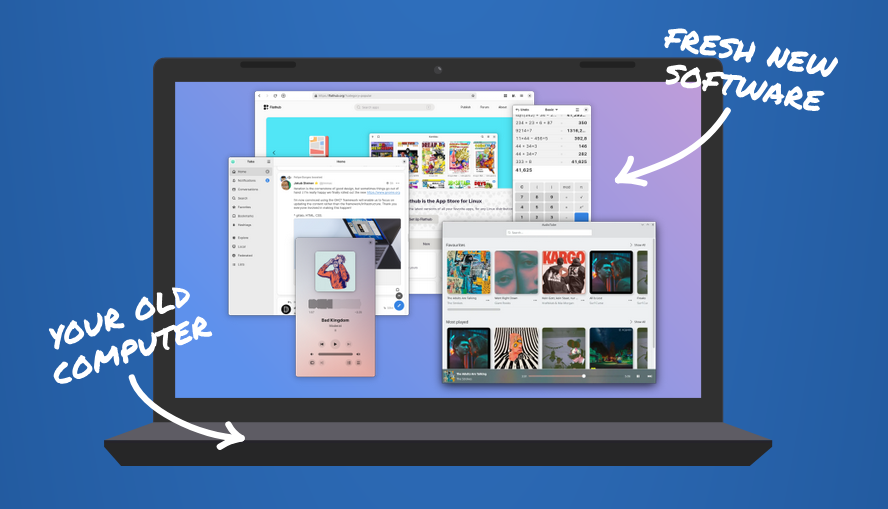
Support for Windows 10 ends on October 14, 2025. Microsoft wants you to buy a new computer. But what if you could make your current one fast and secure again?
You must log in or # to comment.
I look forward to companies dumping a bunch of cheap and powerful mini-PCs on the market. I want to play around with a home server.
If you have a local college, get on their surplus mailing list.
How cheap have you seen the pcs go for?
My college doesn’t actually resell computers, but that’s because a local prison has a program where the inmates refurbish old equipment to send out to low income schools. But, considering most of this equipment won’t be usable, I expect us to start selling it.
Based on the prices we sell other technology for, probably somewhere under $50. My guess would be $20.
I still have some stuff from a local oil and gas company, a collage, my local library and the national land survey org. I paid all of nothing for them, since these cost them money to dispose of.
Don’t expect HDDs in them but surplus equipment is great.
Correct me if I’m wrong, but isn’t the end of w10 support only affecting Windows home users, at least for now? E.g enterprise and other licences will still get support?
Yeah. I switched to an IoT version of Windows 10 that’s going to get security updates until 2032. (I have a Windows machine I still use for a certain piece of proprietary software.)
I still expect Microsoft to further pussy out
On the flip side of this, can people tell me which models are “e-waste” but are actually powerful when you pop Linux onto them? It’d be nice to scoop up some deals on eBay.
I can give you some easy tips for this.
- Does it run windows 7 or higher, if so it will work fine with most distros for basic stuff.
- Does it have a dedicated GPU, if so google the card to check if your chosen distro has easy support for it (almost any card can work, but some are painless).
- Does it power on and was made this millennia, if so it can work in some way with Linux.
That’s some good guidelines but I was really curious what the absolute newest hardware that is Win 11 incompatible is. I’d imagine whenever that goes off-lease at large companies there will be piles of them on eBay and other secondary markets.
Hmmm, I guess it depends on how good the sales team is selling the new PCs. The line would be tpm on the board I guess, but after working in the industry I know that would not stop a sales team from having them replaced.
I would assume that you can get a workstation from about 4 or 5 years ago in general.
LINUX LINUX LINUX LINUX LINUX LINUX LINUX LINUX LINUX LINUX LINUX LINUX LINUX LINUX LINUX LINUX LINUX LINUX LINUX LINUX LINUX LINUX LINUX LINUX LINUX LINUX LINUX LINUX LINUX LINUX LINUX LINUX LINUX
You just need to recommend an easy to use Distro. So no Archlinux. And Nobara which I use is rather middle difficulty.
Windows 10 is ending support in October, prevent e-waste, switch to Linux
Please, without the comma splice.
I saw a really cool project showcase yesterday: Operese. I’m not quite sure how it works, but it installs Kubuntu directly in Windows, and after a reboot, instead of starting Windows, you boot into Kubuntu with all your user files copied over from Windows.
guess it will -create a partition -deploy an kubuntu image on it -copy user files over
the hard part here is having a spare disk/spare disk space where you can deploy. and maybe getting it to boot into grub directly, because your bios will be pointing to windows
It’s certainly no small feat making it seem that seamless. Maybe one day it’ll be possible to change the ISO it installs, so instead of Kubuntu it’s another distro.
looking at the video it seems to work nearly as i expected. (changing the iso shouldn’t be much of an issue) although i think it’s a nice project, i don’t think it’s worth taking too much effort on this. “Give a Man a Fish, and You Feed Him for a Day. Teach a Man To Fish, and You Feed Him for a Lifetime” - you can teach a 10yo to install linux on any machine… it’s not that hard.
The installation isn’t that big of an issue, no. Except for disabling secure boot, if needed. But then there’s the way you have to install it which is via an USB stick that you have to format and write the ISO to. As trivial as it sounds, I think that’s the hard part. And Operese takes that out of the equation.
Download Rufus, Download ISO, klick klick. Not that hard either. But I get your point.
In reality people unfortunately don’t want to try Linux.
Or Ventoy, after installation it’s just as easy as copying the ISO over to the USB stick.
But if all you know is recognize the “Internet icon” (as my parents called the browser haha), then it certainly seems challenging.