
cross-posted from: https://lemmy.ml/post/30792652
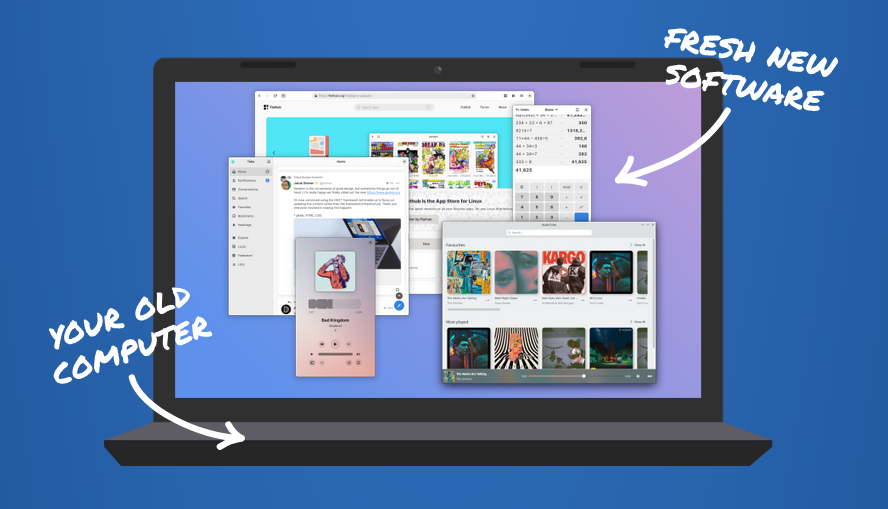
Support for Windows 10 ends on October 14, 2025. Microsoft wants you to buy a new computer. But what if you could make your current one fast and secure again?
If you bought your computer after 2010, there’s most likely no reason to throw it out. By just installing an up-to-date Linux operating system you can keep using it for years to come.
Installing an operating system may sound difficult, but you don’t have to do it alone. With any luck, there are people in your area ready to help!
5 Reasons to upgrade your old computer to Linux:
- No New Hardware, No Licensing Costs
- Enhanced Privacy
- Good For The Planet
- Community & Professional Support
- Better User Control
You must log in or register to comment.
You don’t need to buy a new computer. You just need to upgrade your old computer.
To Linux.
Which then makes it run like a new computer. So Linux basically gives you a free new computer.
Hmm Windows 10 LTSC and IOT will still be supported until 2027.
Debian Trixie, now is the time to shine, release soon please.
Not that I’m against doing this, but just so people are aware, running LTSC or IoT is essentially a violation of EULA unless your license of Windows is Enterprise or Education. Home and Pro aren’t valid for this. Yes, there are activation scripts available online, but personally, if Microsoft doesn’t want me to run Windows, it’s their loss, not mine.
Excel is the most important tool I need for my work. :/
IIRC there is browser support for excel
There is web support, but it lacks most actually useful functions. Libreoffice is great, but is not 1:1 compatible with excel. Then there’s Onlyoffice, which is very compatible, but also lacks many functions.
Bottom line is, if you’re an excel power user, you’ll need to learn Libreoffice Calc, or you’re out of luck. If not, Onlyoffice should suffice.
if you’re an excel power user, you’ll need to learn Libreoffice Calc
Let’s be honest…most people who are Excel power users probably need to interact with other users. Sending and receiving documents and templates, etc. Simply learning Calc yourself isn’t going to suffice, you’d have to convince your entire business to switch.
Your logic is spot on, and it does apply to most power users, but not to all.
Everyone has a different use case and experience, I think we speak based on our own experiences.
I believe OnlyOffice may be problematic from an ethical perspective if I remember correctly because of Russia or something. But it’s FOSS, has a linux desktop version, and its compatibility with Excel has been absolutely rock solid for me.
As you said, it’s FOSS, so why would its country of origin cause ethical problems?
I don’t know much about OpenOffice, but virtually all open source apps are developed by specific individuals who ask for donations or get paid for enterprise use. If you just download and use the app quietly, there’s probably no problem, however, if you talk about it to anyone, you’re promoting it and that may lead to others donating, generating more visibility, leading to more contracts, and so on.
Yes, but it’s considerably slower and extremely frustrating to use for a power user.
Not FOSS but maybe this might work for you: https://www.freeoffice.com/en/
Interesting! Thanks.
No problem! FOSS alternatives are really good as an office suite on their own but when it comes to Excel, things might go tricky. I hope they’re as compatible as they claim.
I’m seriously considering trying to become a contributor.
Well, they appreciate any kind of contributions. Thanks for considering this.
It’s pretty bad at anything with large amounts of both data and formulas.
As an example, if you try to make a spreadsheet for managing resources of any basic Colony Sim game (something with a list of items and recipes to turn them into other items and keep track of quantities), then you’re already beyond the computing capacity of the browser based excel.
To be fair, if you’re using large amounts of data and formulas as a power user, you should probably be instead writing some python or something to handle CSVs.
As for your particular example, LibreCalc would work just fine.
Yeah but it sucks and has nowhere near the same level of festurs
LibreOffice?
LibreOffice is good as a standalone software, if you’re not looking for MS Office compability. I use LibreOffice, and my sister suddenly ask me to help edit their MS Office document. It was nightmare. There are a lot of hidden gotchas that rarely reported. It’s absolutely not recommended to constantly changing software if you’re editing your document.
Also, at the moment, Excel has more advance feature than LibreOffice Calc.
LibreOffice has LibreCalc. It’s free and there’s a Windows version you can try.
What does it mean in practice for windows 10 to reach end of life? There are no more security updates? My vm will stop working? They are preventing you from using your computer?
No more security updates, so it will gradually become unsafe to use online.
I still think they’re going to push the date back.
I’ve been dry-running a Linux only world for a few months now, dual booting and running everything on the Linux partition, only using windows when necessary. So far basically all my games run well under proton and the few non-free programs I care about work well enough under wine. I think tomorrow is the day I blow away the windows partition.
Same here. Games and general office tasks work flawlessly on Linux. I currently only launch into windows for the Adobe suite and some other image editing apps (by Topaz Labs) that I already have licenses for but that won’t run on Linux.
So far the alternatives I’ve found aren’t nearly as powerful. However I’m determined to uninstall windows by the time my licenses run out 9 or so months from now.
So far I think I can live without Topaz, Photoshop and some other image stuff long term, but to be honest if that turns out to be wrong, I’m inclined to buy a cheap Mac Mini specifically for photo stuff rather than keep Windows around anymore.
Hm. That’s worth considering, yeah. But I want to get away from Adobe. I dislike just about every single change they made to any of their programs in the last 5 years… And any change their made to their business model in the last 15 years or so.
I’ve been on Linux for 10 months or so, but I still have Windows installed on a separate disk. I guess if I needed the space I’d worry about deleting it, but I’m good for now. I have booted into Windows only a handful of times over those 10 months, and the stretches get longer and longer.
Why 2010, is it cause of 64bit processors?
I assume it was a generalization, just few weeks ago I installed 32-bit Linux Mint to two laptops from 2007 or 2008, now my kids have their very own and fully functional computers. They do lag a bit sometimes, but learning patience is just good for the kids.
I believe it’s TMP 2.0 support
Is there some easy way to find devices that don’t support win 11 on ebay? Hoping for cheap laptops for surfing.
sort by cpu model or filter by no os. windows has a list of unsupported cpu models, but the vast majority of stuff getting dumped on eBay is corporate salvage. an older Thinkpad or used G3 workstation is (65 - 80$). 20$ SSD and you should be good to go. if you’re in a pinch for cash, an old monitor and thin client can be under 60$, m+k under 10$.
Well, my niece and nephew do need a minecraft machine… 🤔
10 still has over 50% market share (source)
You can still install a 32 bit distro on your pc but it’s not that common (For example: LMDE)
Linux has gotten incredibly better for gaming. Now Bluetooth controllers connect just as easy as Windows, and Steam has Proton built in so that when you run a Windows only game, Steam will automatically install the appropriate Proton and Wine software – just make sure to turn on compatibility mode in the Steam launcher settings. Every game I ran so far runs fine on Linux.
It couldn’t be a better time to switch to Linux.
What distro would be good for an old (coming up to ten years) Windows 10 under-TV Steam box with a GTX870? Its job is basically to boot straight into big picture mode with no login screen and be operated by a PS4 controller, but I figure I can’t just keep it on Win10 without security patches.
The other nice thing about Linux is that there are several Live versions you can try out on your computer without making any changes to your Windows installation.
This also lets you see if check and see if Linux fully supports your hardware (just in case you have a weird network or audio card). If the Live version of Linux works, the installed version will, as well.
Most installers let you set up a dual boot on the same hard drive, too.
Even if your audio or WiFi card doesn’t work automatically in the live environment, that doesn’t necessarily mean that you are out of luck either. My WiFi card manufacturer doesn’t support Linux (Last thing I buy from them), but I was able to find a driver that was built by the community for a very similar product that works flawlessly.
This may be more complex than some people are willing/able to solve, just wanted to put that out there for people who can so they aren’t discouraged by a bad experience with a live distro.
I already shifted to Linux Zorin OS. It’s the best option for ex-Windows users like me. Sleek and modern with low learning curve.
Had the same idea last month. Feels great to get away from MS and to learn about Linux, re-igniting my interest in computers after years or just double clicking everything with no understanding of what processes are going on behind the scenes.
For those which need to use Windows, here three mandatorio FOSS apps (the best IMHO)
- hellzerg Optimizer to eliminate bloat- and spyware
- WindHawk for those which don’t like this terrible childish Fisher Price UI of Windows 11
- Portmaster to monitor and if needed blocking unwanted traffic and telemetries (optional paid SPN service)
With these you can use Windows 11, showing the middlefinger to M$