

cross-posted from: https://lemmy.ml/post/30792652
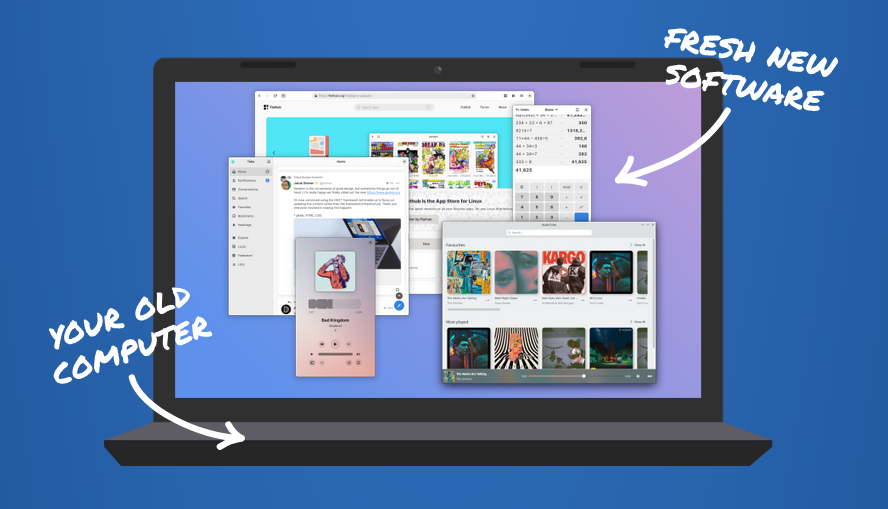
Support for Windows 10 ends on October 14, 2025. Microsoft wants you to buy a new computer. But what if you could make your current one fast and secure again?
If you bought your computer after 2010, there’s most likely no reason to throw it out. By just installing an up-to-date Linux operating system you can keep using it for years to come.
Installing an operating system may sound difficult, but you don’t have to do it alone. With any luck, there are people in your area ready to help!
5 Reasons to upgrade your old computer to Linux:
- No New Hardware, No Licensing Costs
- Enhanced Privacy
- Good For The Planet
- Community & Professional Support
- Better User Control
You must log in or register to comment.
I learned how to install Linux Mint on my old computer that had been running Windows 10 for exactly this reason. And then I bought a new laptop and installed Fedora on it. Goodbye Microsoft!
(Yes, I had to learn a new skill for this, but it turned out to not be that difficult, and it was worth it.)
deleted by creator
Been a Windows user all my life. As Windows has been tanking over the years, I’ve finally started making the switch as of a few months ago. First was our home theater PC, which was shockingly easy - next was my desktop, which hasn’t been as easy but it’s been a joy to learn about and make it my own.
I’m happy to pay for a license for anything I use. That included Windows. But, sometimes, the free & open-source route is better - I’m no longer “locked in” to any one solution and it’s a fantastic feeling.
Aurora and Bluefin Linux have been super easy to install and maintain, and they can’t “break”. Plus, with Flatpak as the default app store, it’s very user friendly.
I’ve converted all my computers to Linux a few months ago, and it’s been a great experience.
Just do it™
Or debloat your computer by using massgrave.dev, change your window version to IoT Enterprise + Sophia script from Github.
deleted by creator
Anti cheat issue, some games are inaccessible.
deleted by creator
I just like the look of windows 10 over 11.
I started to dual boot LMDE about a year ago, and realized how janky Windows is. So many tweaks and little things that I just “put up with” that I never really paid attention to like when 12 programs all fight to steal focus on startup.
I run hardened windows 10 but now for no reason it’s displaying the “Activate Windows” watermark whenever I deny internet access to the system host, which I have done for years without issue. This is the nail in the coffin for me. My system is gonna be pure linux soon, bye bye windows
I’ll be honest, I was going to post a two word crappy comment like “No thanks” mainly because the amount of blatant Linux boosting is too damn high on Lemmy and it’s irritating. However, then I remembered how much happier I am here on Fedia.io since leaving reddit and it reminded me of the value of questioning established norms. I jumped onto ChatGPT and asked it to lay it all out for me. Which would be better for me, Linux or Windows? I was surprised at how positive it was about Linux and particularly Mint and it got me interested.
In the positive column it listed:
Speed and Efficiency Security and Privacy Customization and Control No Forced Updates or Reboots Free and Open Source (no licenses to pay) Ideal for Developers or Tinkerers
In the more challenging column (related to me being a user since the 80’s!) it listed:
Software Compatibility Gaming Driver Support Learning Curve
Does that sound about right?
It also suggested I could try it with no risk or cost by booting into Linux from a USB stick without installing it. It also said I could do it via a virtual machine or a dual boot which is interesting.
I don’t think Windows has quite given me a good enough reason to leave yet but I am curious now…
That’s mostly right, though I’d like to add that gaming is a lot smaller of an issue these days thanks to proton, it’s basically only multiplayer games with strict anti-cheat that don’t work these days. (Valorant, League, Rainbow six siege, many others)
Here’s a website that shows you if games with anti cheat are playable on linux
General game compatibility website
Driver support is also less of an issue, but it really does depend on what your personal use cases are.
That’s really useful thank you 🙂
You needed ai to tell you that?
I was just being honest.
Especially gaming and driver support are actually a coin toss nowadays and could be much better on Linux than on Windows. Most drivers are built in on Linux so usually it’s just plug and play. Apart from nvidia drivers I haven’t installed drivers on Linux in at least a decade.
Printers and scanners especially are usually set up automatically on Linux but are a pain in the ass on Windows. Like, my kids wanted to print something from their computers and just used our network printer without me having to do any setup.
To get nvidia graphics set up you have to install one thing which is usually just one click or one command to run. AMD and Intel graphics work out of the box without any issues.
Only niche devices might be problematic. But usually they are also magically supported out of the box.
Nice 🙂
If you’re willing to put up with autism of some distro maintainers, go for it.
Right now I ise Manjaro, but I’m going to try out SteamOS once it comes out for general hardware.
I installed Mint this week, but went with btrfs so that it would be easy to just spin up a new partition for SteamOS when that’s out.
deleted by creator
Those two already worked well before Valve revolutionised game compatibility. Nowadays it is almost trivial to run any game. Only a handful of games are problematic. Mostly those with kernel level anti cheat that didn’t enable Linux compatibility.
You can check the status of the latter at https://areweanticheatyet.com/.